


The modern smartphone has transcended its original purpose as a communication device, evolving into a sophisticated hub of sensors, processors, and specialized software designed to assist in almost every facet of daily life. While the Apple iPhone is globally recognized for its prowess in mobile photography, social media integration, and high-performance gaming, a significant portion of its utility remains sequestered within overlooked applications and nested menus. For the average user, the device is a window into the digital world; however, for the power user, it is a high-precision multi-tool equipped with an array of scientific and industrial capabilities. As the iOS ecosystem continues to mature, Apple has increasingly integrated professional-grade utilities—ranging from augmented reality measurement tools to environmental noise monitors—that challenge the necessity of third-party applications. Understanding these hidden features is not merely about convenience; it is about unlocking the full return on investment for a piece of hardware that often costs upwards of a thousand dollars.
The Evolution of Utility: A Brief Chronology of iOS Tools
The trajectory of iOS utilities reflects Apple’s broader design philosophy, shifting from the skeuomorphic aesthetics of the early 2000s to the data-driven, sensor-heavy environment of the present day. In the early iterations of the iPhone OS (later renamed iOS), utility apps were rudimentary. The Calculator and Compass were standalone icons, often mimicking their physical counterparts in appearance. The introduction of the App Store in 2008 sparked a gold rush for "utility" developers, with thousands of third-party levels, flashlights, and unit converters flooding the market.
A pivotal shift occurred with the release of iOS 7 in 2013, which introduced the Control Center, making basic utilities more accessible. However, the most significant technological leap came with the debut of ARKit in 2017 (iOS 11) and the subsequent release of the Measure app in iOS 12. By leveraging the device’s camera and motion sensors, Apple began to offer tools that provided real-world physical data. The inclusion of LiDAR (Light Detection and Ranging) scanners on the iPhone 12 Pro and subsequent "Pro" models further solidified the device’s capability as a precision instrument. Today, the integration of these tools into the core OS represents a strategic move by Apple to provide a seamless, privacy-focused alternative to ad-supported third-party utility apps.
The Calculator as a Global Conversion Engine
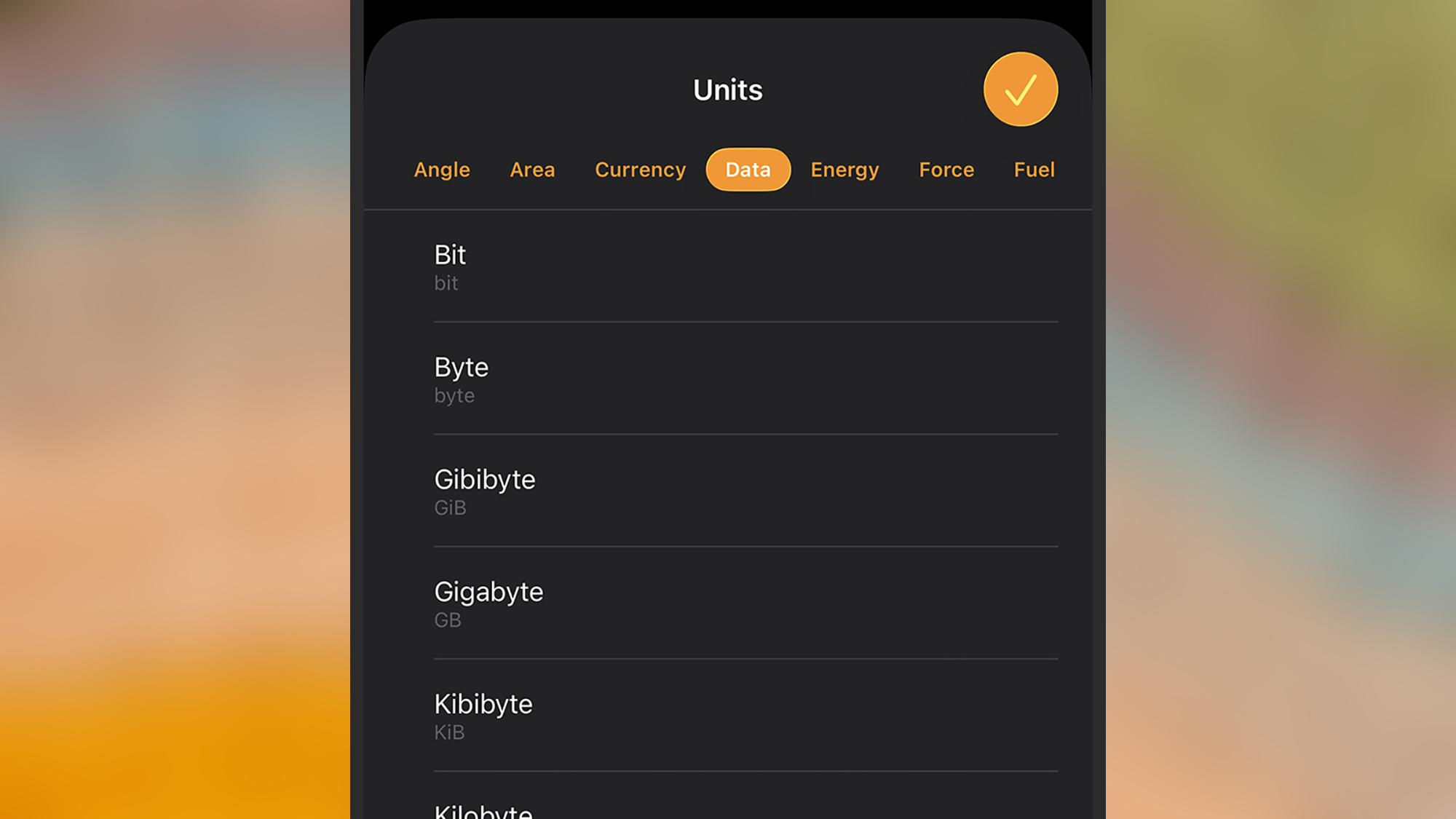
While nearly every iPhone user is familiar with the standard Calculator app, its secondary function as a comprehensive conversion tool remains one of the system’s most underutilized features. In recent updates, Apple has integrated a "Convert" mode directly into the interface, eliminating the need for users to search the web for exchange rates or unit formulas.
To access this functionality, users must navigate to the Calculator app and engage the conversion toggle via the icon in the lower-left or upper-right corner (depending on the specific iOS version and orientation). This tool allows for the instantaneous translation of data across several categories:
- Currency: Utilizing live data pulled from financial servers, the app provides real-time exchange rates for global currencies.
- Physical Measurements: Users can convert between metric and imperial systems for weight, length, area, and volume.
- Scientific Units: The tool handles temperature (Celsius, Fahrenheit, Kelvin), pressure, and power.
The implication of this feature is significant for international travelers and professionals in STEM fields. By hosting these conversions locally and updating rates via the cloud, Apple reduces the friction of cross-border commerce and academic calculation.
Augmented Reality and the Measure Tool
Perhaps the most technologically advanced utility in the iPhone’s "Utilities" folder is the Measure app. This application utilizes Augmented Reality (AR) to calculate the dimensions of physical objects through the camera lens. For users with Pro-model iPhones, the app utilizes the LiDAR scanner to emit infrared light pulses, measuring the time it takes for them to bounce back to create a high-accuracy 3D map of the environment.
The Measure tool allows users to:
- Establish Points: By placing digital anchors on corners or edges, the software calculates the distance between them with surprising accuracy.
- Calculate Area: When the app detects a rectangular shape, it can automatically provide the square footage or acreage of a surface.
- Maintain Records: The app includes a "List" view that archives recent measurements and allows users to take screenshots with the dimensions overlaid, a feature particularly useful for interior designers, contractors, and DIY enthusiasts.
According to industry benchmarks, LiDAR-enabled iPhones can achieve measurement accuracy within a 1% margin of error in optimal lighting conditions, making it a viable substitute for a physical tape measure in non-critical situations.
The Digital Spirit Level and Geospatial Awareness
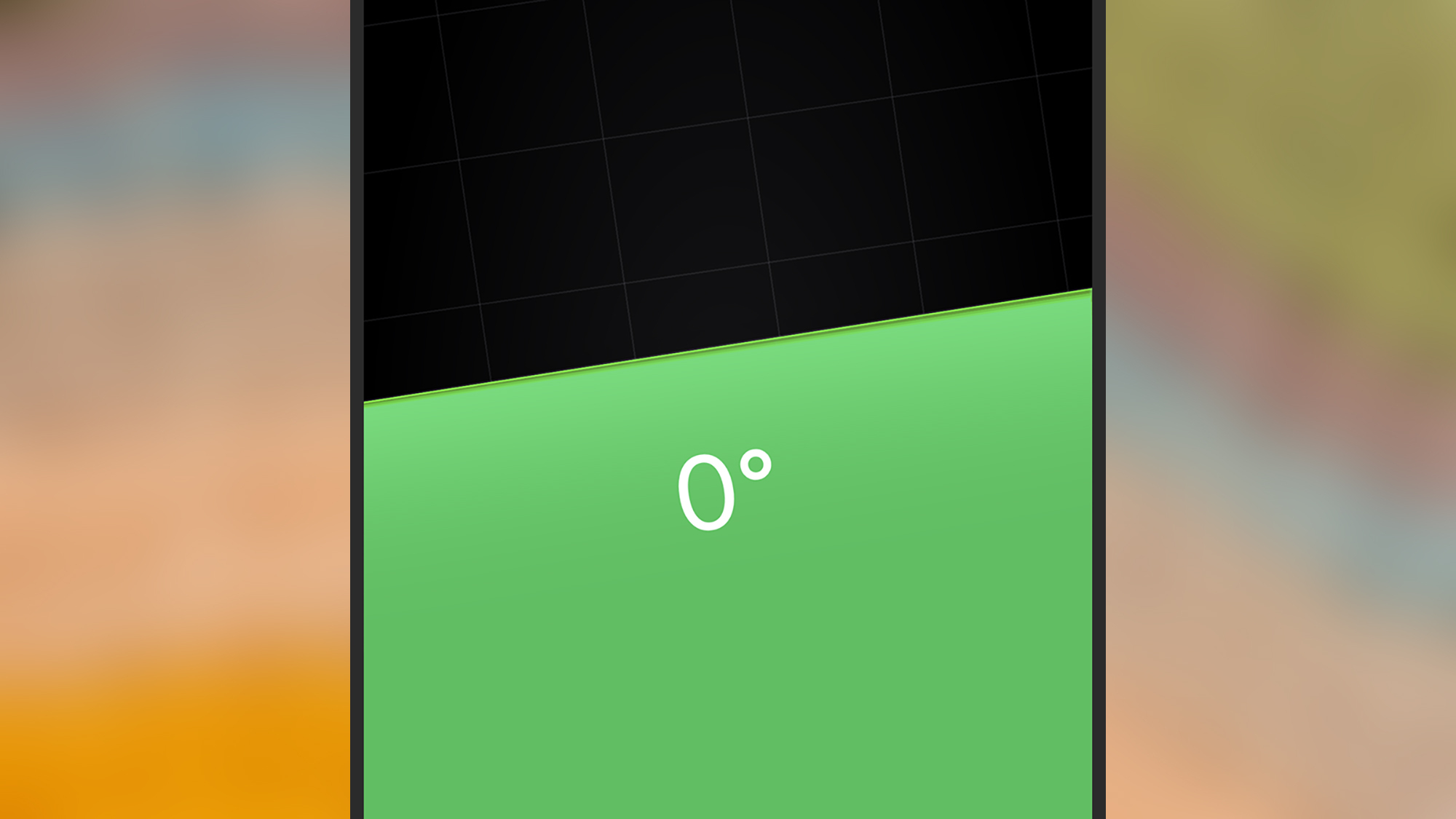
Hidden within the architecture of the Measure app (and formerly housed within the Compass app) is a digital spirit level. This tool leverages the iPhone’s internal MEMS (Micro-Electro-Mechanical Systems) gyroscope and accelerometer to detect the device’s orientation relative to the earth’s gravity.
The level provides two distinct modes of operation. When held vertically, it functions as a traditional bubble level for hanging frames or checking the plumb of a wall. When placed flat on a surface, it acts as a surface level, using two overlapping circles to indicate when a plane is perfectly horizontal. A key functional detail is the "Zero" feature: by tapping the screen, a user can set a relative angle as the new baseline, allowing for the measurement of specific slopes or deviations from a non-level starting point.
Complementing this is the Compass app, which remains a vital tool for navigation in environments lacking cellular connectivity. Unlike many third-party apps that rely on GPS (which requires a line of sight to satellites), the native Compass app utilizes the iPhone’s magnetometer to detect the Earth’s magnetic field. This allows for offline navigation, providing coordinates, elevation data, and bearing locks that are essential for backcountry hiking and maritime activities.
Hearing Health and Environmental Noise Monitoring
In a move toward proactive health management, Apple has integrated sophisticated sound level meters into the iOS ecosystem. This feature is a response to growing global concerns regarding noise-induced hearing loss. According to the World Health Organization (WHO), nearly 1.1 billion young people worldwide are at risk of hearing loss due to exposure to noise in recreational settings.
The iPhone addresses this through two primary avenues:
- Environmental Sound Levels: For users with an Apple Watch, the "Noise" app monitors ambient decibel levels in real-time. This data is synced to the iPhone’s Health app, where it is categorized under "Hearing." Users can view historical data to see if their workplace or daily commute consistently exceeds the 80-decibel threshold, which is generally considered the point where long-term damage can begin.
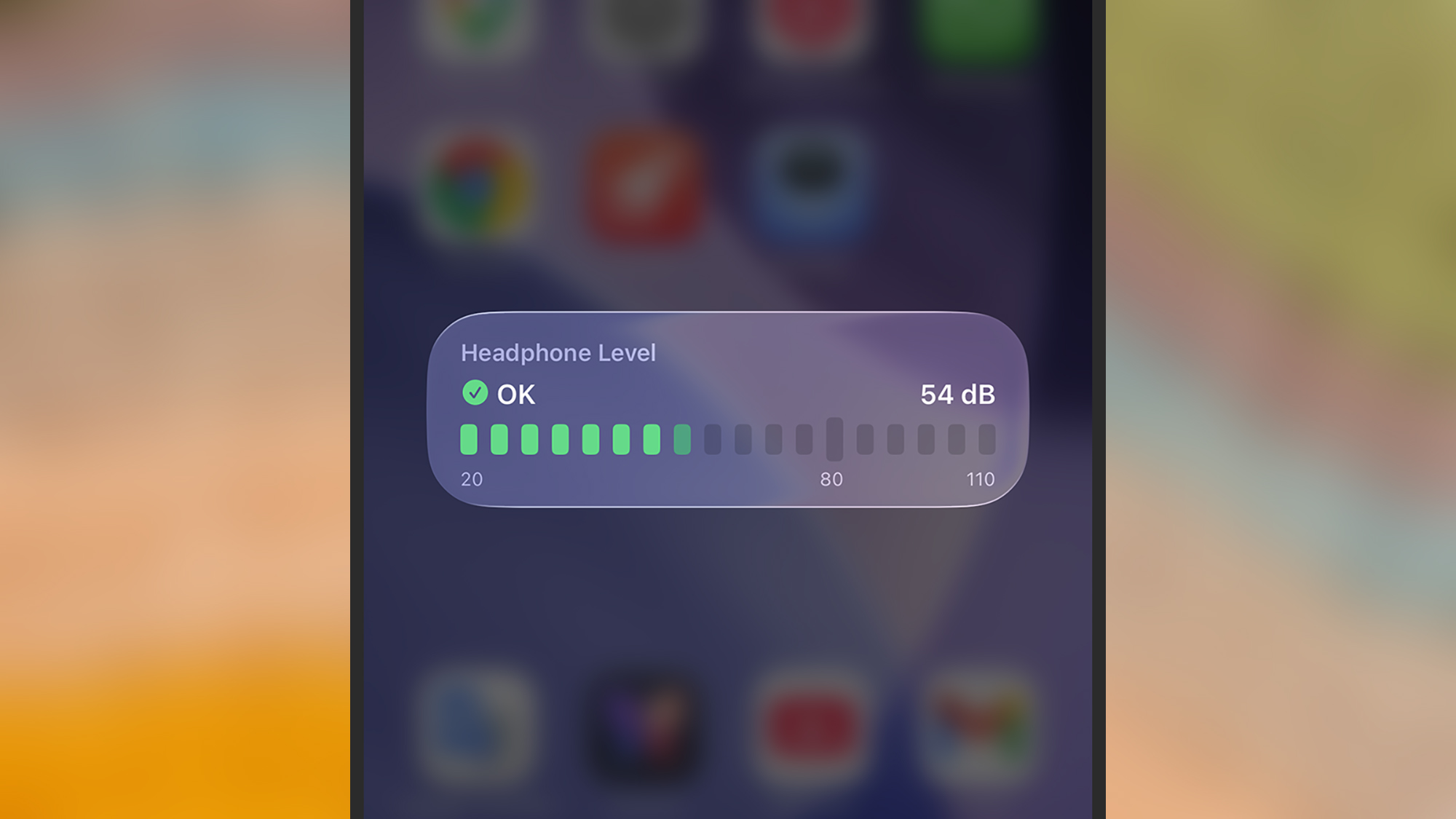
- Headphone Level Monitoring: Within the iOS Control Center, users can add a "Hearing" toggle. This provides a live readout of the decibel level of the audio currently playing through connected AirPods or other compatible headphones. It also warns users if they have exceeded the WHO’s recommended weekly "loud listening" dose.
This integration represents a shift from "reactive" technology to "preventative" technology, turning a consumer device into a health-monitoring instrument.
Official Responses and Strategic Implications
While Apple rarely comments on individual "hidden" features, the company’s executive team, including Senior Vice President of Software Engineering Craig Federighi, has frequently emphasized a philosophy of "functional elegance." In various keynote presentations, the company has positioned these utilities as part of a broader commitment to accessibility and user empowerment. By providing these tools for free, Apple effectively "disrupts" the market for single-use utility apps, which are often criticized for aggressive data harvesting and intrusive advertising.
From a strategic standpoint, these features increase "ecosystem stickiness." When a user relies on their iPhone for professional measurements, navigation, and health monitoring, the cost of switching to a competitor—who may not offer the same level of integrated, privacy-protected utilities—becomes significantly higher.
The Broader Impact: The Smartphone as a Swiss Army Knife
The presence of these professional-grade tools within a consumer device has profound implications for the democratization of technology. Tools that once required specialized hardware—such as laser measures, clinometers, and decibel meters—are now available to anyone with a smartphone. This accessibility supports the "prosumer" movement, enabling individuals to perform tasks that previously required professional consultation.
As we look toward the future of iOS, it is likely that these utilities will become even more deeply integrated with Artificial Intelligence (AI). Future iterations of the Measure tool may use machine learning to identify building materials or estimate the cost of a renovation project based on the captured dimensions. Similarly, the Compass and Level tools may integrate with satellite-based SOS features to provide even more robust safety nets for outdoor enthusiasts.
In conclusion, the iPhone’s hidden utilities represent a triumph of engineering, packing a laboratory’s worth of sensors into a pocket-sized form factor. While they may not receive the marketing fanfare of the latest camera filters or emoji updates, these tools define the modern smartphone’s role as an indispensable companion in the physical world. For the informed user, the device is no longer just a portal for consumption, but a sophisticated instrument for interaction and analysis.