



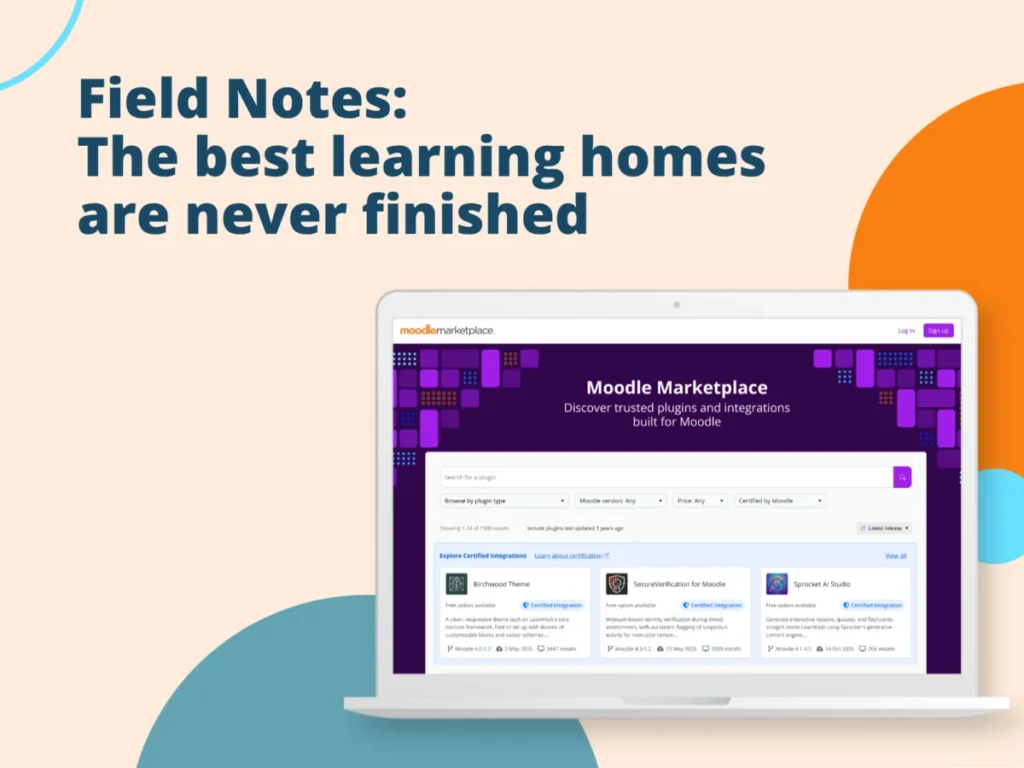
The latest edition of Moodle Mentor, a dedicated advice column for creative course and learning design, tackles a range of pressing issues faced by educators and instructional designers utilizing the Moodle platform. Drawing from real-world queries submitted by Moodle users through the "Edit Mode" newsletter, this installment offers practical solutions and insights into enhancing learner engagement, streamlining grading processes, managing exceptions, and optimizing collaborative course development. The publication aims to empower "Moodlers" – a term used to describe active Moodle users and community members – by providing expert guidance on leveraging Moodle’s capabilities to create more effective and dynamic learning experiences.
Enhancing Real-World Learning Through Interactivity
A central theme emerging from the queries is the desire to move beyond traditional content delivery and rote memorization. Daniel R., an educator seeking to foster decision-making and real-world practice, posed a critical question: "How do I make learning feel more real?" This reflects a growing pedagogical trend advocating for experiential learning and the application of knowledge in simulated environments.
Moodle’s inherent tools, such as the Lesson, H5P, and Quiz activities, provide a foundational framework for building interactivity, enabling branching scenarios, and delivering targeted feedback. However, for more advanced applications like immersive scenario-based learning, interactive video, or complex simulations, Moodle Mentor points towards specialized solutions.
One such solution highlighted is Near-Life, a Moodle Certified Integration. Near-Life empowers educators to construct interactive, decision-driven experiences that can incorporate video, slide presentations, and even virtual reality elements. The platform’s design principle centers on enabling learners to practice making decisions within a secure, simulated environment, a crucial element for developing competencies in fields requiring judgment, behavioral adaptation, and contextual understanding. Near-Life also offers supplementary resources, including a guide on its effective implementation within Moodle, underscoring the platform’s commitment to supporting educators in creating richer learning journeys. This approach signifies a shift from passive content consumption to active skill development, directly addressing the demand for learning that mirrors real-world challenges and demands.
Streamlining the Manual Grading Workflow
Annastasia M. brought to light a common pain point for instructors: the limitations of manual quiz grading within Moodle. While appreciating the control offered by manual grading, she highlighted a significant hurdle: the inability to selectively grade only the "last attempt" for a question when multiple attempts are allowed. This forces instructors to grade all submissions, complicating efforts to detect plagiarism efficiently and increasing the time investment required for each question.
The Moodle Mentor acknowledges this as a known limitation of the Quiz manual grading report. Currently, the built-in functionality does not offer a direct filter to isolate the most recent attempt for question-by-question manual grading. This can indeed be a bottleneck, particularly in assessments designed with multiple attempts to facilitate learning and improvement.
While a direct workaround within the standard Moodle interface is not available, the advice column suggests alternative strategies to mitigate the challenge. These often involve leveraging Moodle’s existing features in conjunction with careful workflow planning. For instance, instructors might explore the possibility of adjusting quiz settings related to attempt handling or utilizing reporting features that aggregate submission data in a way that can be analyzed externally. Another avenue is to consider the use of custom scripts or plugins, although this necessitates a higher level of technical expertise or collaboration with an administrator. The piece also encourages users to contribute feedback to the Moodle Tracker, a platform where community members and development teams discuss and prioritize feature requests and potential improvements, including those related to grading workflows. This community-driven approach is central to Moodle’s ongoing development and responsiveness to user needs.
Managing Extensions and Accommodations with Override Tracking
Charlie T. inquired about the functionality of Moodle’s override tracking feature and its efficacy in managing deadline extensions and individual learner accommodations. The response emphasizes that Moodle’s override system is specifically designed to address these very needs, offering a robust mechanism for differentiating learning pathways and assessment timelines.
At the activity level, User and Group overrides allow instructors to set distinct deadlines, time limits, or specific conditions for individual students or groups, separate from the default activity settings. This ensures that modifications are transparently tracked and do not disrupt the general course structure. Such flexibility is invaluable for instructors who need to provide extended deadlines for students requiring additional time, offer alternative assessment formats, or grant special access to resources based on individual circumstances. This feature is particularly beneficial in larger courses with multiple instructors or a substantial number of learners requiring accommodations, as it maintains a clear record of individualized adjustments.
Furthermore, overrides can be applied at the gradebook level. This allows for adjustments to be made to a student’s grade outside of the original activity settings, such as after a review process or in response to extenuating circumstances. The recent release of Moodle LMS 5.2 introduces an enhancement that permits the addition of notes to overridden grades within the gradebook. This feature provides crucial context, serving as a valuable tool for documentation and ensuring that all members of an instructional team are synchronized regarding grading decisions. A webinar recording titled "Designing for success: Simplifying the learner journey in Moodle LMS 5.2" is recommended for those interested in exploring this and other new functionalities.
Addressing the "Did They Watch It?" Dilemma
Keshaba M. raised the perennial question of how to ensure learners fully engage with embedded videos. The Moodle Mentor acknowledges that absolute certainty is elusive, but advocates for a design-centric approach that prioritizes learner action over passive tracking. The most effective strategy, the column suggests, is to focus on what learners do after viewing content, rather than solely relying on indicators of video completion.
Well-placed questions or subsequent activities can provide more meaningful insights into comprehension than a simple "watched 100%" metric. Practical approaches include embedding short comprehension checks or reflective prompts immediately after video segments, designing activities that require learners to apply information presented in the video, or incorporating discussion forums where learners can share insights and questions related to the video content.
For those requiring more direct tracking capabilities, the Video Time plugin is presented as a viable option. This plugin facilitates the embedding of videos from platforms like YouTube or Vimeo and can be integrated with Moodle’s activity completion features. While the free version can track whether a learner has accessed the activity, the Pro version offers more advanced features, such as monitoring the percentage of the video watched. However, the underlying message remains consistent: the ultimate goal should be to foster active engagement and understanding, rather than merely confirming viewership. The shift from passive viewing to active participation is where the most significant learning impact is likely to be observed.
Granular Access Control in Moodle
Francis M. inquired about the possibility of restricting access to an entire course. The response clarifies that Moodle’s native functionality for managing access primarily operates through enrolment methods (such as manual enrolment, self-enrolment, and cohort synchronization) and course visibility settings, rather than a direct "restrict access" option for the entire course itself. While creative combinations of content restrictions and enrolment keys can achieve sophisticated access management, these often require significant technical expertise.
For more dynamic and scalable access control, Moodle Workplace and its "Programs" feature are recommended. Programs are structured collections of courses that can be assigned or made available to specific learner groups. This system is designed to manage who accesses what content and when, without the need for manual enrolment into each individual course. With Moodle Workplace, educators can define prerequisites for program progression, create learning pathways, and automate enrolment based on program completion. This shifts the paradigm from individual course management to a more holistic approach to learning journey design, where Programs act as a discovery layer and a management tool, streamlining access at scale without reliance on custom plugins or manual workarounds.
Differentiated Content in Shared Courses
Bekele A. sought to understand how teachers sharing a course can ensure that only their respective students can access specific content. The Moodle Mentor confirms that this is achievable through the effective use of Moodle’s "Groups" and "Restrict access" features.
By assigning learners to specific groups, educators can then tie particular course activities or sections to these groups. This ensures that students only encounter the content designated for them, even within a collaboratively managed course environment. A crucial detail highlighted is that, by default, teachers can generally view all course content, with restrictions primarily applying to learners. To achieve stricter separation between instructors, it is advisable to assign them the "Non-editing teacher" role. This role limits their visibility, notification reception, and marking capabilities to the groups they are assigned to, thus maintaining a more controlled and differentiated learning environment. The article commends educators for their dedication to creating such nuanced and learner-centric environments, emphasizing Moodle’s commitment to supporting data privacy and individualized attention.
The Moodle Ecosystem and Expert Support
The Moodle Mentor series not only provides direct advice but also serves as a gateway to understanding the broader Moodle ecosystem. The publication subtly reinforces the idea that while Moodle offers a wealth of built-in features and a vibrant community for support, complex challenges may necessitate specialized expertise. The mention of Moodle Services, which offers support in areas such as hosting, customization, and advanced course design, suggests a tiered approach to problem-solving, where Moodle’s core platform is augmented by professional services when needed. This positions Moodle as a comprehensive solution provider, capable of addressing diverse educational technology needs.
The "Moodle Mentor" column, curated by Moodle’s Head of Solutions Marketing, Lauren Foss Goodman, exemplifies Moodle’s commitment to empowering its user base. Goodman’s extensive background in education and learning technologies, coupled with her academic pursuits, informs the practical and insightful advice offered. Her role underscores Moodle’s dedication to not only developing its platform but also to fostering a community of practice where educators can share challenges and collaboratively find solutions. As the series continues, it aims to demystify Moodle’s functionalities and encourage innovative pedagogical approaches, ultimately contributing to the enhancement of online learning experiences globally.