
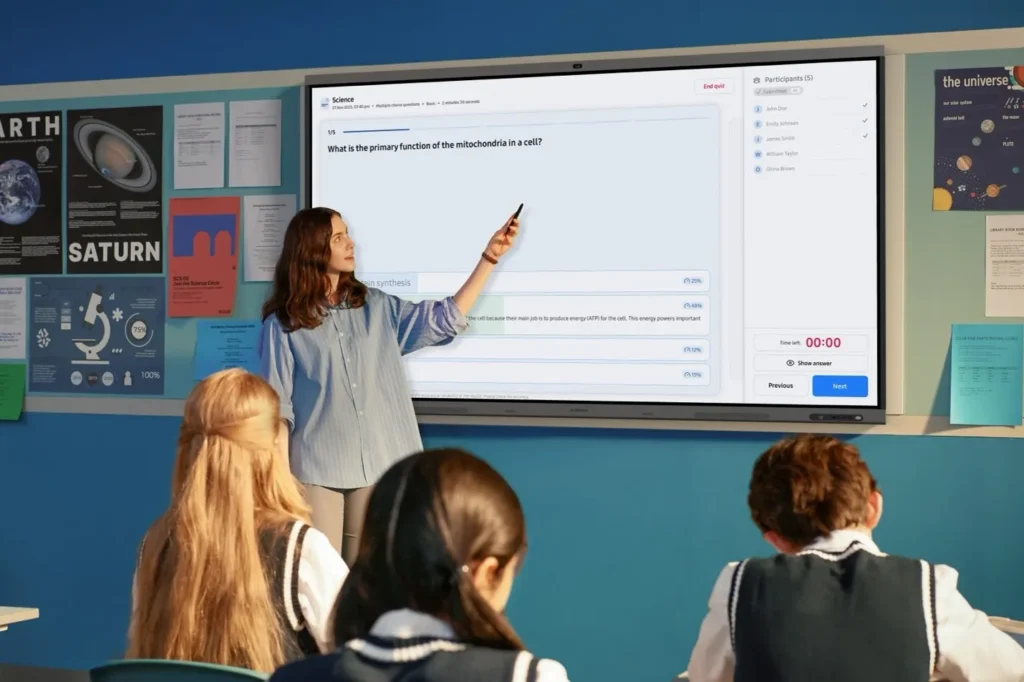

The global educational landscape is currently standing at a critical technological crossroads as Microsoft prepares to conclude support for the Windows 10 operating system on October 14, 2025. This impending deadline has catalyzed a massive shift toward Windows 11 Education, a platform designed to address the multifaceted challenges of modern schooling, including heightened cybersecurity threats, the necessity for inclusive learning tools, and the integration of generative artificial intelligence. As school districts and higher education institutions evaluate their digital infrastructure, the migration to Windows 11 represents more than a routine software update; it is a strategic alignment with the future of digital pedagogy and institutional security.
The Technological Evolution of the Modern Classroom
The contemporary classroom has evolved into a hyper-connected ecosystem where digital literacy is as fundamental as traditional reading and writing. This environment is characterized by a diverse student population with varying linguistic backgrounds and accessibility needs. Consequently, the demand for technology that can scale and adapt has never been higher. Microsoft’s transition to Windows 11 is positioned as a response to these shifting dynamics, offering a high-performing platform intended to simplify IT management while fostering equity.
For educators, the move to a new operating system is often met with concerns regarding workflow disruption. However, the architecture of Windows 11 is specifically engineered to enhance existing instructional methods. By providing faster boot times, extended battery life for student laptops, and improved multitasking capabilities, the platform aims to minimize technical friction during the school day. Furthermore, the inclusion of native accessibility tools, such as system-wide live captions and advanced voice typing, ensures that the digital divide is narrowed for students with disabilities or those learning in a second language.
Security by Design: Protecting the Academic Perimeter
As educational institutions increasingly rely on cloud-based learning management systems (LMS) and digital records, they have become primary targets for cyber-adversaries. Data from recent cybersecurity reports indicates that the education sector frequently experiences a high volume of ransomware attacks and data breaches, often due to aging hardware and unpatched software. Windows 11 addresses these vulnerabilities through a "secure by design" philosophy.

A cornerstone of this security framework is the requirement for Trusted Platform Module (TPM) 2.0. This hardware-level security feature provides a secure environment for cryptographic keys, protecting student identities and sensitive institutional data from the moment a device is powered on. Complementing this is Microsoft Defender, which offers real-time, cloud-backed protection against evolving malware and phishing schemes. For IT administrators, the integration of Microsoft Intune allows for centralized management, enabling districts to push security patches and policy updates across thousands of devices simultaneously, thereby reducing the manual labor traditionally associated with fleet maintenance.
A Chronology of the Windows Transition
The journey toward Windows 11 Education follows a structured timeline that reflects the broader lifecycle of Microsoft’s operating systems. Understanding this chronology is essential for institutional planning:
- July 2015: Windows 10 is released, becoming the standard for global education for a decade.
- October 2021: Windows 11 is officially launched, introducing stricter hardware requirements to ensure modern security standards.
- 2023: Major educational bodies, such as Ceibal in Uruguay, begin large-scale deployments of Windows 11 to modernize student device fleets.
- May 2024: Microsoft introduces Copilot+ PCs and the Learning Zone app, signaling a pivot toward on-device AI in education.
- October 14, 2025: Official End of Support (EOS) for Windows 10. After this date, the OS will no longer receive free security updates or technical support.
- 2025–2028: The Extended Security Update (ESU) program becomes available for institutions requiring additional time to complete their hardware refresh.
Case Study: Scaling Digital Learning in Uruguay
The practical benefits of the Windows 11 migration are exemplified by Ceibal, Uruguay’s national innovation agency for education. As the largest Microsoft Education tenant in Latin America, Ceibal was tasked with universalizing digital access for the country’s public school system. In 2023, the agency adopted Windows 11 as its primary operating system, deploying it to more than 240,000 students and teachers.
The results of this migration were significant. Usage rates for the national LMS, known as CREA, surged from 55% in 2019 to 86% in 2024. Mateo Pérez, Product Coordinator at Ceibal, noted that the transition resolved chronic issues regarding software and hardware compatibility. Before the migration, maintenance costs were inflated because different device models required distinct OS versions. By standardizing on Windows 11, Ceibal streamlined its IT operations, reduced update-related downtime, and fortified the security of its nationwide network.
The AI Frontier: Copilot+ PCs and Learning Zone
The emergence of artificial intelligence (AI) has introduced a new layer of complexity and opportunity for schools. Microsoft’s strategy involves integrating AI directly into the operating system rather than treating it as an external add-on. This is most evident in the development of Copilot+ PCs, which feature dedicated Neural Processing Units (NPUs) capable of performing trillions of operations per second.

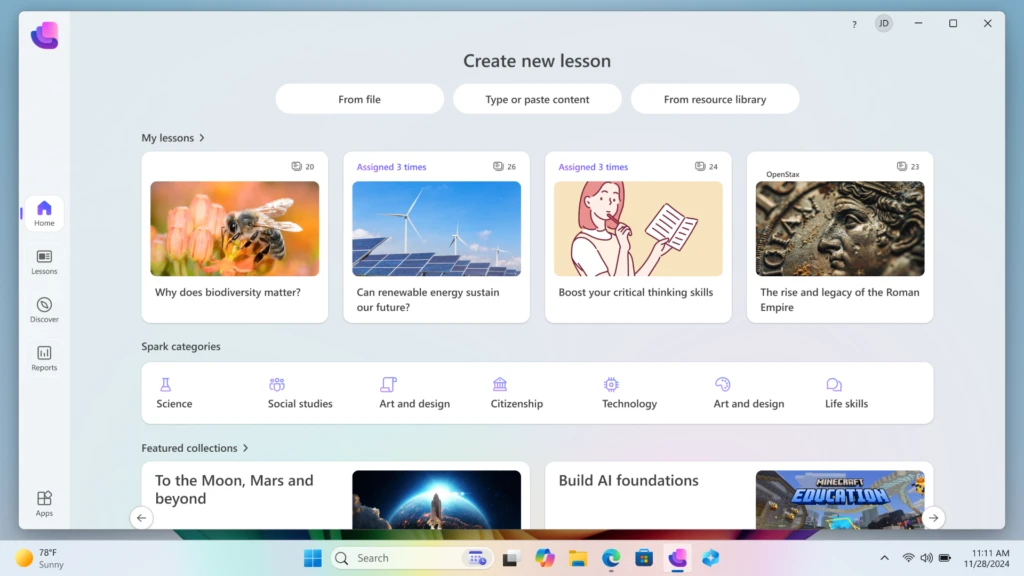
A primary application of this hardware is the Microsoft Learning Zone. Currently in public preview, this app allows educators to use on-device AI to transform static materials—such as PDFs, slide decks, or worksheets—into interactive, student-ready activities in a matter of minutes. Unlike cloud-based AI, which can raise concerns about data privacy, on-device AI ensures that student data remains on the local machine, providing a secure environment for personalized learning.
The platform also integrates content from established educational partners. For instance, students can engage with NASA’s exploration modules, utilize Rice University-backed curricula from OpenStax, or participate in game-based learning via Minecraft Education. AI-powered tools like Kahoot! are also integrated to allow for instant quiz generation, enabling teachers to assess student comprehension in real-time.
Strategic Upgrade Paths and Financial Planning
Recognizing that budget cycles vary significantly between school districts, Microsoft has outlined three primary paths for the transition from Windows 10 to Windows 11.
Path 1: Upgrading Eligible Hardware
Many devices purchased within the last three to four years already meet the system requirements for Windows 11. Microsoft provides the "PC Health Check" tool to help IT departments audit their current inventory. If a device is eligible, the upgrade can be performed via Microsoft Intune at no additional licensing cost, providing an immediate boost to security and performance without capital expenditure on new hardware.
Path 2: Device Refresh and Sustainability
For older hardware that does not meet Windows 11 requirements, institutions are encouraged to begin a phased replacement. To mitigate the environmental and financial impact of this turnover, Microsoft has emphasized its "Shape the Future" program, which offers discounted Windows 11 devices to K-12 institutions. Additionally, trade-in and recycling programs allow schools to receive cashback for old devices, which can then be reinvested into new purchases. This approach supports institutional sustainability goals by ensuring that electronic waste is handled responsibly.
Path 3: The Extended Security Update (ESU) Program
For institutions that cannot complete their migration by the October 2025 deadline, the ESU program offers a temporary safety net. This program provides critical security patches for Windows 10 devices for up to three years after the EOS date. In a move to support the education sector, Microsoft has set the ESU pricing at $1 per device for the first year, $2 for the second year, and $4 for the third year. This tiered pricing is significantly lower than commercial rates, reflecting an effort to ensure that even budget-constrained districts remain protected during their transition.
Institutional Implications and Future Outlook
The shift to Windows 11 Education is indicative of a broader trend in the public sector toward "future-ready" infrastructure. By moving to a platform that supports advanced AI and rigorous security protocols, schools are preparing students for a workforce that will be increasingly defined by these technologies.
From an administrative perspective, the migration offers an opportunity to audit and optimize IT workflows. The reduction in maintenance costs—as seen in the Ceibal case study—allows districts to reallocate funds toward pedagogical innovation rather than technical troubleshooting. Moreover, the emphasis on accessibility ensures that the move toward digital-first education does not leave behind vulnerable student populations.
As October 2025 approaches, the consensus among educational technology experts is that early planning is paramount. A well-managed transition allows for thorough testing of legacy applications, professional development for teachers on new AI tools, and a structured rollout that minimizes classroom disruption. While the end of support for Windows 10 marks the conclusion of an era, the adoption of Windows 11 Education signals the beginning of a more secure, efficient, and personalized chapter in global education.