




The modern educator’s workday often begins long before the first bell rings, initiating a complex digital dance. Teachers navigate a labyrinth of shared devices, cloud storage, and diverse learning platforms, a routine frequently punctuated by the need to locate specific rooms, boot up shared displays, log into multiple systems, and meticulously prepare digital lesson files. This often involves sifting through lesson plans scattered across cloud drives, USB sticks, and local folders, all while battling the pervasive "login fatigue" associated with shared technology in educational settings. The expectation for educators to seamlessly transition between physical and digital spaces, accommodating various learning formats, can inadvertently introduce friction rather than facilitating a more efficient teaching environment. Samsung’s latest suite of educational solutions, integrated into its Android OS-based interactive display lineup, aims to alleviate these daily technological hurdles. Specifically, the WAF and WAFX-P models are now equipped with an Account Management Solution (AMS) and an AI Assistant, designed to empower teachers by personalizing shared displays, simplifying access to educational materials, and ultimately, reclaiming valuable time previously spent on technology management, thereby allowing for a greater focus on pedagogical instruction.
The Evolving Landscape of the Digital Classroom
The integration of technology into classrooms has accelerated dramatically over the past decade, a trend significantly amplified by the global shift towards remote and hybrid learning models necessitated by the COVID-19 pandemic. Educational institutions worldwide have invested heavily in digital infrastructure, including interactive whiteboards, tablets, and robust internet connectivity. A 2023 report by HolonIQ indicated that global EdTech spending was projected to reach $404 billion by 2025, highlighting the pervasive adoption of digital tools in education. This digital transformation, while offering immense potential for enhanced learning experiences, has also presented significant operational challenges for educators. Many schools rely on shared classroom technology due to budget constraints or logistical realities. This necessitates a system where multiple teachers, teaching different subjects and grade levels, must efficiently utilize the same hardware throughout the school day. The inherent complexities of managing user profiles, safeguarding personal data, and ensuring immediate access to tailored teaching resources on these shared devices have become a critical pain point for many educators.
Samsung’s Account Management Solution (AMS): Simplifying Access and Personalization
Samsung’s Account Management Solution (AMS) directly addresses the inefficiencies associated with shared interactive displays. In a typical school environment, a single display might serve as a central hub for several teachers, each with distinct lesson plans, preferred settings, and teaching methodologies. The challenge lies in enabling quick and secure access to individual teacher environments without compromising data privacy or wasting precious instructional time. AMS streamlines this process by offering teachers a simplified and secure method to log into compatible Samsung interactive displays.
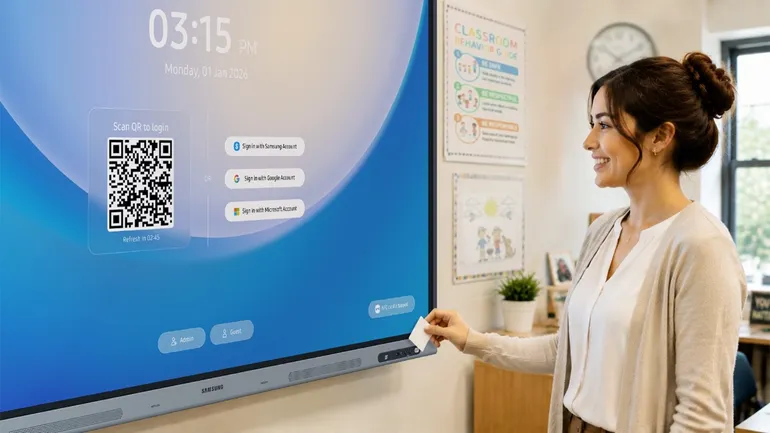
Historically, logging into a shared device at the beginning of each class could be a cumbersome process, involving manual entry of usernames and passwords in front of students. AMS mitigates this by introducing intuitive sign-in options. Teachers can now authenticate their presence using a simple QR code scan or by tapping an NFC-enabled ID card against the display. This rapid authentication process immediately personalizes the display, presenting the teacher with their familiar desktop environment, including pre-set configurations, essential teaching tools, and immediate access to their saved bookmarks and applications. Furthermore, AMS incorporates a screen lock feature, allowing teachers to temporarily step away from the display with confidence, knowing their personal session is secured.
The benefits of AMS extend significantly to educators who teach across multiple classrooms. The Home Personalization feature is a cornerstone of this cross-classroom consistency. By leveraging cloud-connected profiles, teachers can access their preferred layout, custom wallpaper, crucial files, and personalized settings regardless of which compatible display they are using. This means an educator can transition from one classroom to another and instantly resume their workflow, picking up precisely where they left off. This feature is particularly impactful in reducing the cognitive load on teachers who may cover multiple classes in different locations daily, fostering a more seamless and less disruptive teaching experience. According to internal Samsung research, teachers utilizing AMS reported a reduction in technology-related setup time by an average of 15 minutes per day, a significant gain that can be reinvested in student engagement and instruction.
Samsung AI Assistant: Empowering Live Instruction and Student Engagement
Complementing AMS, Samsung’s AI Assistant is designed to enhance the dynamic nature of live classroom instruction. Integrated directly into supported Samsung interactive displays running the Android OS, this powerful tool places a suite of classroom-ready AI features at the educator’s fingertips, directly on the screen. The AI Assistant facilitates real-time information retrieval, aids in the creation of dynamic classroom resources, and provides support for student learning, all while helping to maintain the flow and focus of the lesson.
A key aspect of the AI Assistant’s integration is its seamless single sign-on capability when used in conjunction with AMS. Once a teacher has logged in via AMS, they gain immediate access to the AI Assistant’s functionalities without requiring a separate login. This frictionless entry ensures that the AI tools are readily available when needed most, during active teaching moments.
One of the standout features of the AI Assistant is Live Transcript. This functionality automatically converts spoken instruction into real-time text displayed on the screen. This is invaluable in larger classrooms where auditory clarity can be a challenge, ensuring that all students can clearly perceive the teacher’s words. Moreover, Live Transcript offers significant benefits for students with diverse learning needs, including those with hearing impairments or language barriers. The system provides customizable display options for the transcript banner, allowing users to adjust font size, language, and screen position. This personalization empowers students to better follow along with the lesson and capture crucial information, thereby fostering a more inclusive and accessible learning environment. Early adoption feedback from pilot schools suggests that Live Transcript has been particularly beneficial for English Language Learners, improving their comprehension of complex subject matter.
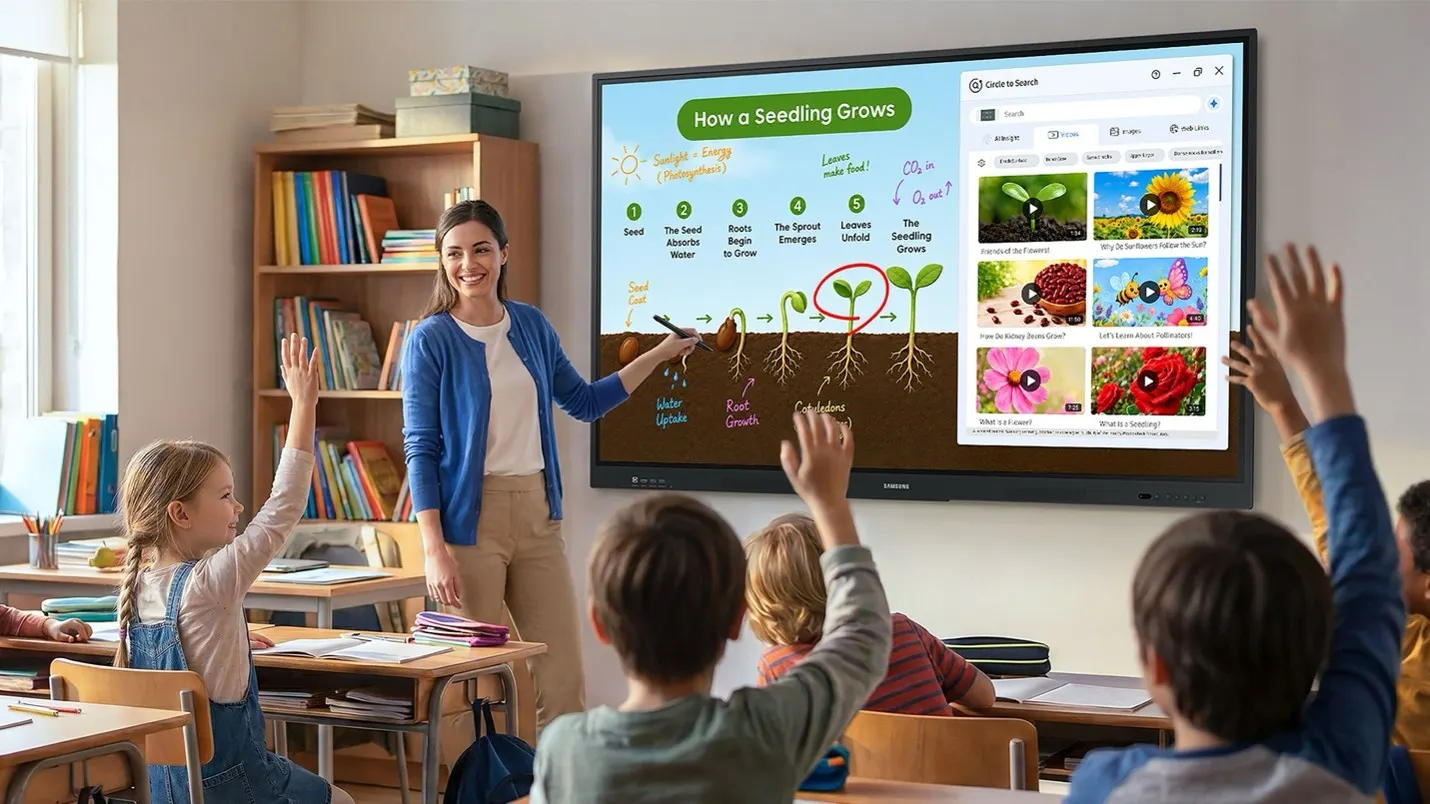
Another innovative feature is Circle to Search. This intuitive tool allows both teachers and students to simply circle any text or image appearing on the display during a lesson to instantly access related information. This can be incredibly useful when a teacher is elaborating on a challenging concept, responding to an unexpected student query, or introducing supplementary materials to deepen understanding. Instead of interrupting the lesson to switch to a different device or open a separate application, teachers can leverage Circle to Search directly on the interactive display. The search results can be further utilized by pressing and holding them to add relevant content, such as visuals, graphs, or diagrams, directly to Samsung Whiteboard, thereby enriching problem-solving activities and visual learning experiences. This immediate access to contextual information supports a more dynamic and responsive teaching style.
Post-Lesson Reinforcement and Assessment with AI Quiz
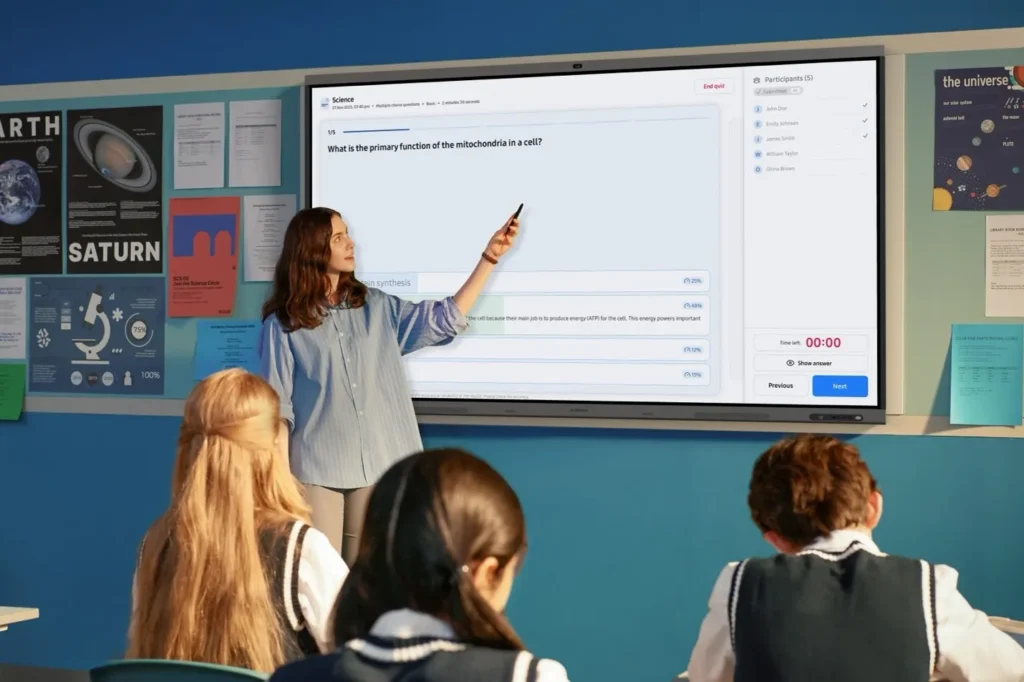
The utility of Samsung’s AI Assistant extends beyond the live instruction phase. The "My Lessons" feature allows teachers to revisit recorded lesson content, review transcripts, and access the AI Quiz tool. This functionality is designed to help educators effectively gauge student comprehension and quickly generate wrap-up materials that directly align with the day’s instruction.
The AI Quiz is particularly noteworthy for its precision and reliability. By generating questions exclusively from the selected lesson transcript and provided source materials, teachers can be assured that the quiz content is accurate and free from "AI hallucinations" – a common concern with generative AI tools. This ensures that assessments are directly relevant to what was taught, reinforcing key concepts and details that students may have missed or forgotten. This capability allows educators to identify areas where students might need additional support and to revisit and reinforce those concepts effectively, ensuring a more thorough understanding of the subject matter. Pilot programs have indicated that AI Quiz has helped improve student retention rates by an average of 10% on topics covered in lessons where the tool was utilized for post-lesson review.
Broader Impact and Future Implications for Education
The integration of advanced solutions like AMS and AI Assistant into Samsung’s interactive displays represents a significant step towards creating more efficient, engaging, and equitable learning environments. As educational institutions continue to embrace new technologies and adapt their pedagogical approaches, the demand for tools that are not only powerful but also intuitive and manageable will only increase.
The implications of these advancements are far-reaching. For school administrators, the simplified management of shared devices through AMS can lead to reduced IT support burdens and more effective allocation of technology resources. For teachers, the reduction in administrative friction translates directly into more time for meaningful student interaction, personalized instruction, and professional development. For students, the enhanced accessibility, immediate access to supplementary information, and more targeted reinforcement of learning can lead to improved academic outcomes and a more positive overall educational experience.
The trend towards AI-powered educational tools is poised to reshape the future of teaching and learning. By embedding intelligence directly into the classroom hardware, companies like Samsung are enabling educators to leverage cutting-edge technology to address long-standing challenges and unlock new possibilities for student success. The ongoing evolution of these solutions will likely see further integration of personalized learning pathways, adaptive assessment tools, and more sophisticated content creation aids, all aimed at supporting the complex and vital work of educators in preparing the next generation for a rapidly changing world. The continued investment in and thoughtful implementation of such technologies are critical for realizing the full potential of digital learning.