



Safeguarding digital memories has become a paramount concern for modern smartphone users, especially as high-resolution photography and 4K video recording rapidly consume device storage and elevate the risk of permanent data loss. Among the myriad cloud storage ecosystems available today, Apple Photos remains a preferred repository for millions of consumers, particularly those heavily integrated into the Apple device ecosystem spanning iPhones, iPads, and Mac computers. However, managing, backing up, and unifying a comprehensive media library across an increasingly fragmented multi-platform environment—encompassing Windows, Android, macOS, and iOS—presents notable technical hurdles. Industry data indicates that the average smartphone user generates hundreds of gigabytes of visual media annually, making cross-platform accessibility and automated cloud synchronization more critical than ever.
The necessity for centralized photo management stems from the evolution of personal computing habits over the past decade. Users frequently switch between operating systems for work and leisure, utilizing Windows workstations alongside mobile devices running Android or iOS. Consequently, maintaining a unified digital photo library requires navigating proprietary software barriers established by major technology conglomerates. While Google Photos has long dominated the cross-platform backup space due to its ubiquitous application availability, Apple’s iCloud infrastructure offers deep system-level integration for Apple device owners and an increasingly competitive web-based interface for non-Apple users. Understanding how to leverage these tools effectively ensures that precious memories are neither trapped on a single device nor vulnerable to catastrophic hardware failure.

The Evolution of Cloud-Based Media Storage and Consumer Demands
The transition from physical hard drives and local backups to cloud-centric repositories revolutionized how individuals curate and preserve their digital lives. Apple introduced iCloud Photos to automatically mirror a user’s entire camera roll to remote servers, ensuring that edits, deletions, and new captures propagate seamlessly across all registered devices. Despite these advancements, users who operate outside the walled garden of macOS and iOS often face significant friction when attempting to centralize their media archives.
To bridge this gap, Apple has gradually expanded its web presence and cross-platform software offerings, though functional disparities remain stark depending on the host operating system. Analysts note that cloud storage adoption rates have surged by over 40% globally since 2022, driven primarily by the proliferation of mobile camera sensors capable of capturing massive file formats like Apple ProRAW and high-efficiency video codecs (HEVC). This exponential growth in file sizes has made paid cloud tiers—which start at modest monthly fees for 50 gigabytes of storage—an essential utility for the contemporary digital consumer.
Native Integration on iOS: The Gold Standard for iPhone Owners
For users entrenched in Apple’s mobile ecosystem, the process of backing up photos and videos is largely frictionless. The iOS Camera app acts as the primary ingestion point, immediately routing every captured image and recorded video into the native Photos application. Within the app, the Library tab organizes files chronologically, while advanced machine learning algorithms automatically segment media into curated collections based on facial recognition, geographical locations, and significant events.
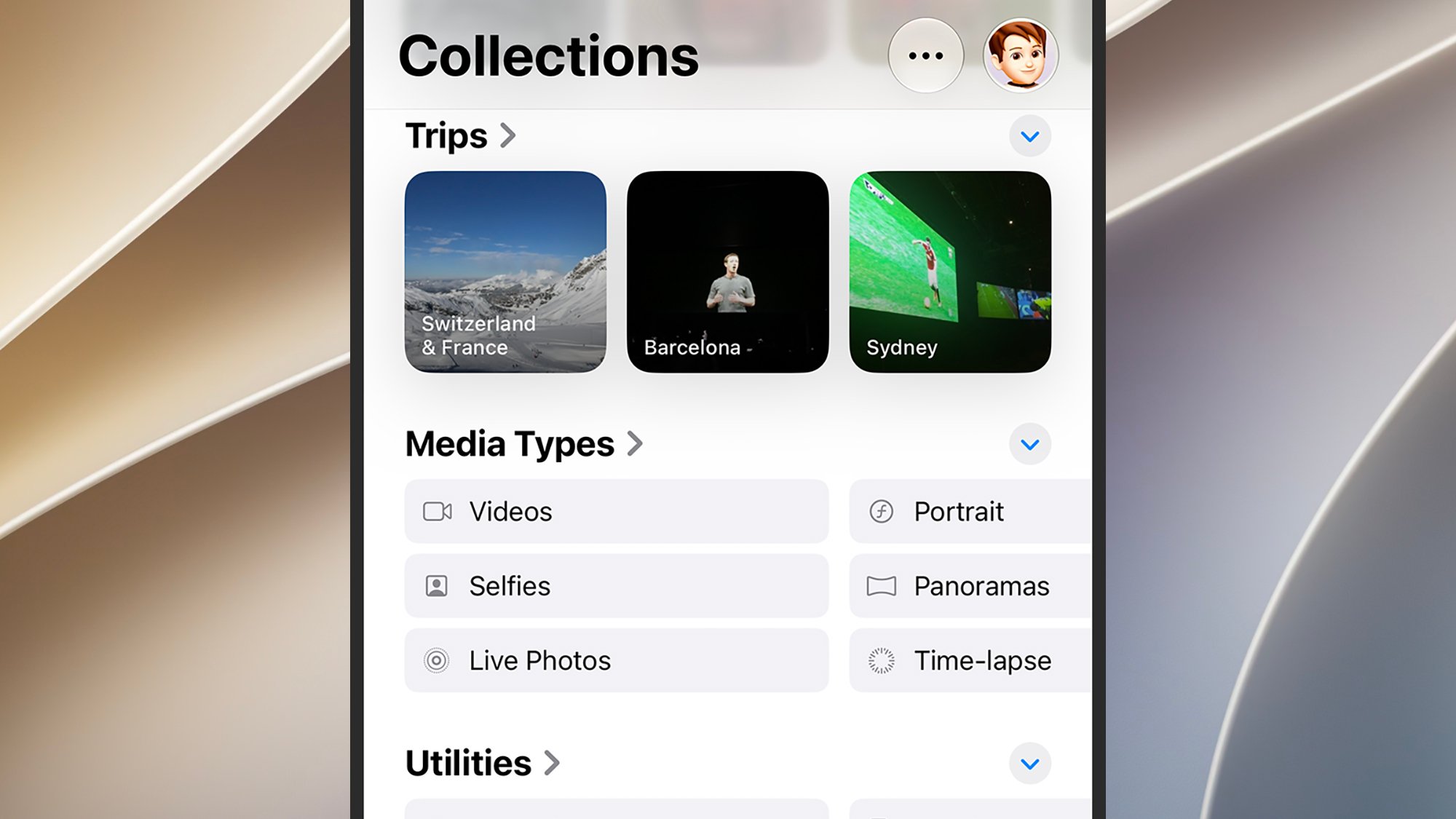
Configuring optimal backup parameters on an iPhone requires navigating to the system settings menu. By accessing the Settings application, selecting user profiles, and navigating to the Photos submenu, users can toggle the essential iCloud Photos switch. Enabling this feature initiates background synchronization over Wi-Fi or cellular data, depending on user preferences. Furthermore, iOS provides granular storage optimization controls. Users can choose between downloading and storing full-resolution originals locally on the device or selecting the Optimize iPhone Storage setting, which retains lightweight proxy files on the handset while preserving pristine, uncompressed masters securely in the cloud. This dual-layer approach prevents storage exhaustion on base-model iPhones while guaranteeing absolute data preservation.
macOS Power and Precision: Managing Large Libraries on Desktop
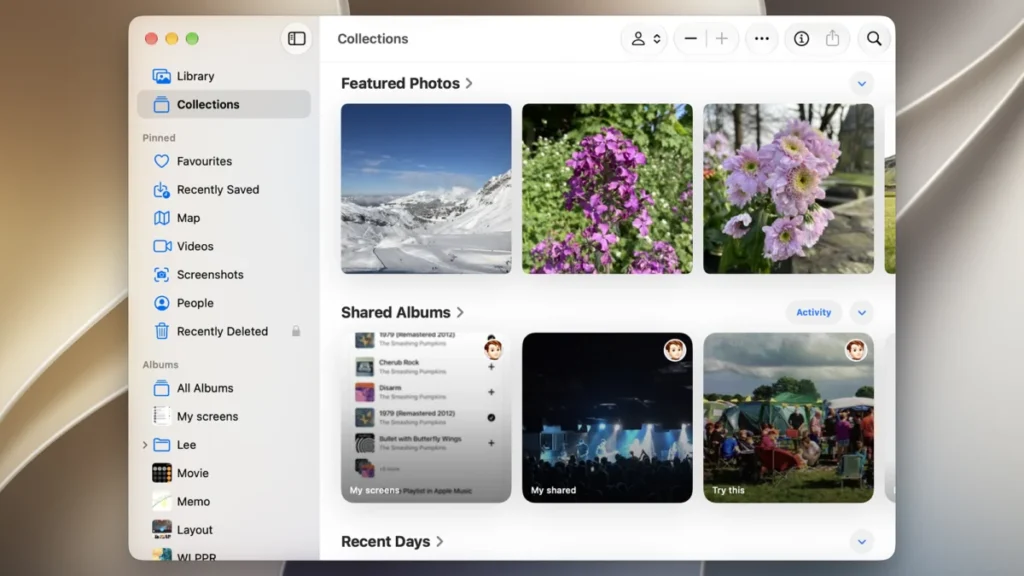
Transitioning to desktop hardware running macOS offers an expansive environment for advanced photo curation, editing, and long-term archiving. The macOS version of the Apple Photos app mirrors the structural layout of its mobile counterpart, featuring a left-hand navigation pane that grants immediate access to the core Library, curated Collections, user-defined Favorites, and automated People identifications.
Beyond syncing media captured directly on mobile hardware, desktop environments frequently accumulate disparate image files sourced from standalone digital cameras, external hard drives, or web downloads. macOS accommodates these diverse inputs through a straightforward ingestion pipeline. Users can select File and Import from the top menu bar or simply drag and drop individual files, folders, or entire external libraries directly into the application window.
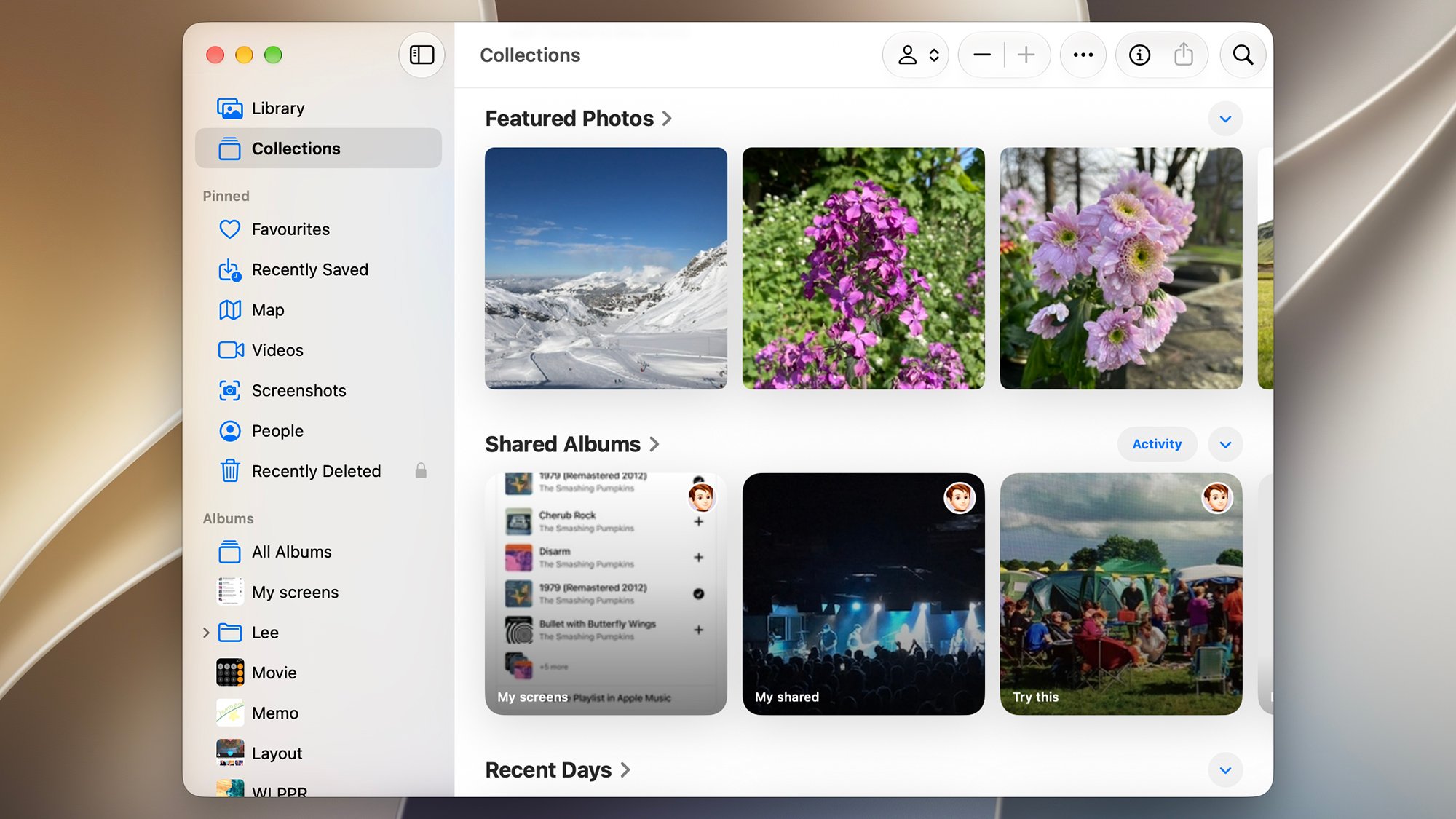
To ensure these supplementary files are properly backed up, users must configure the application’s core preferences. By opening Photos Settings, navigating to the iCloud tab, and checking the "Copy items to the Photos library" box under the General tab, the system ensures that every newly imported asset is ingested into the local database and subsequently uploaded to iCloud storage. This guarantees that a photograph imported from a DSLR camera in a studio environment will ultimately populate on the user’s iPhone or iPad without manual intervention.
Navigating the iCloud Web Portal Across Universal Browsers
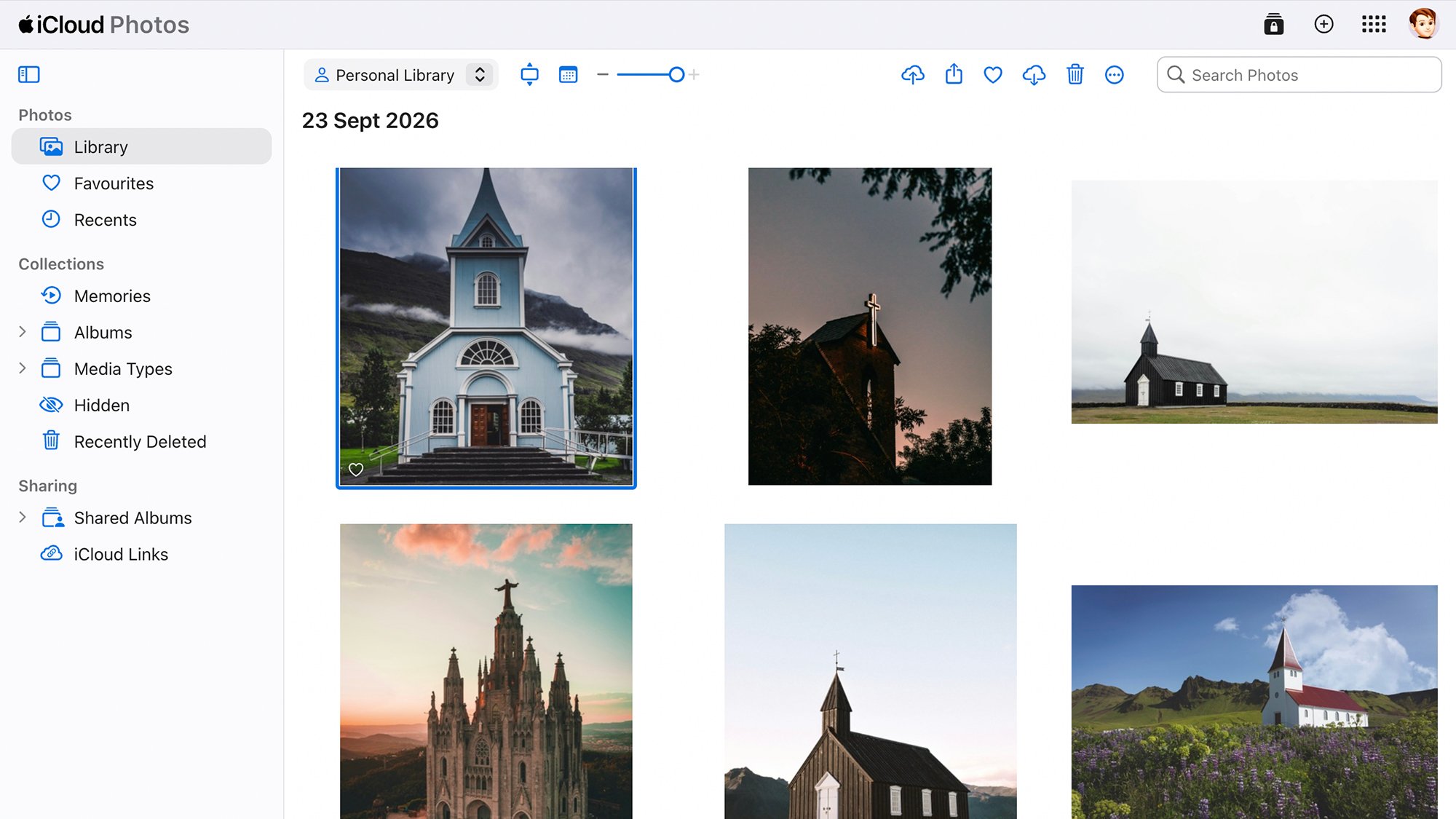
For individuals operating across mixed-device environments or utilizing public and work terminals, the iCloud web portal serves as a versatile, browser-based command center. By navigating to icloud.com and authenticating with Apple credentials utilizing multi-factor security, users gain direct access to a streamlined version of the Apple Photos application from virtually any modern web browser.
While the web-based iteration lacks the advanced computational categorization found on dedicated operating systems—such as localized facial clustering or intricate map-based location collections—it provides robust viewing, downloading, and uploading capabilities. The interface features a prominent upload utility, represented by an icon depicting an upward-pointing arrow entering a cloud. This tool enables users to manually inject media files from secondary devices, such as office workstations or a friend’s computer, directly into their primary cloud repository. This functionality ensures that users are never entirely disconnected from their media archives, even when devoid of native Apple hardware.
Overcoming Cross-Platform Obstacles on Android Devices
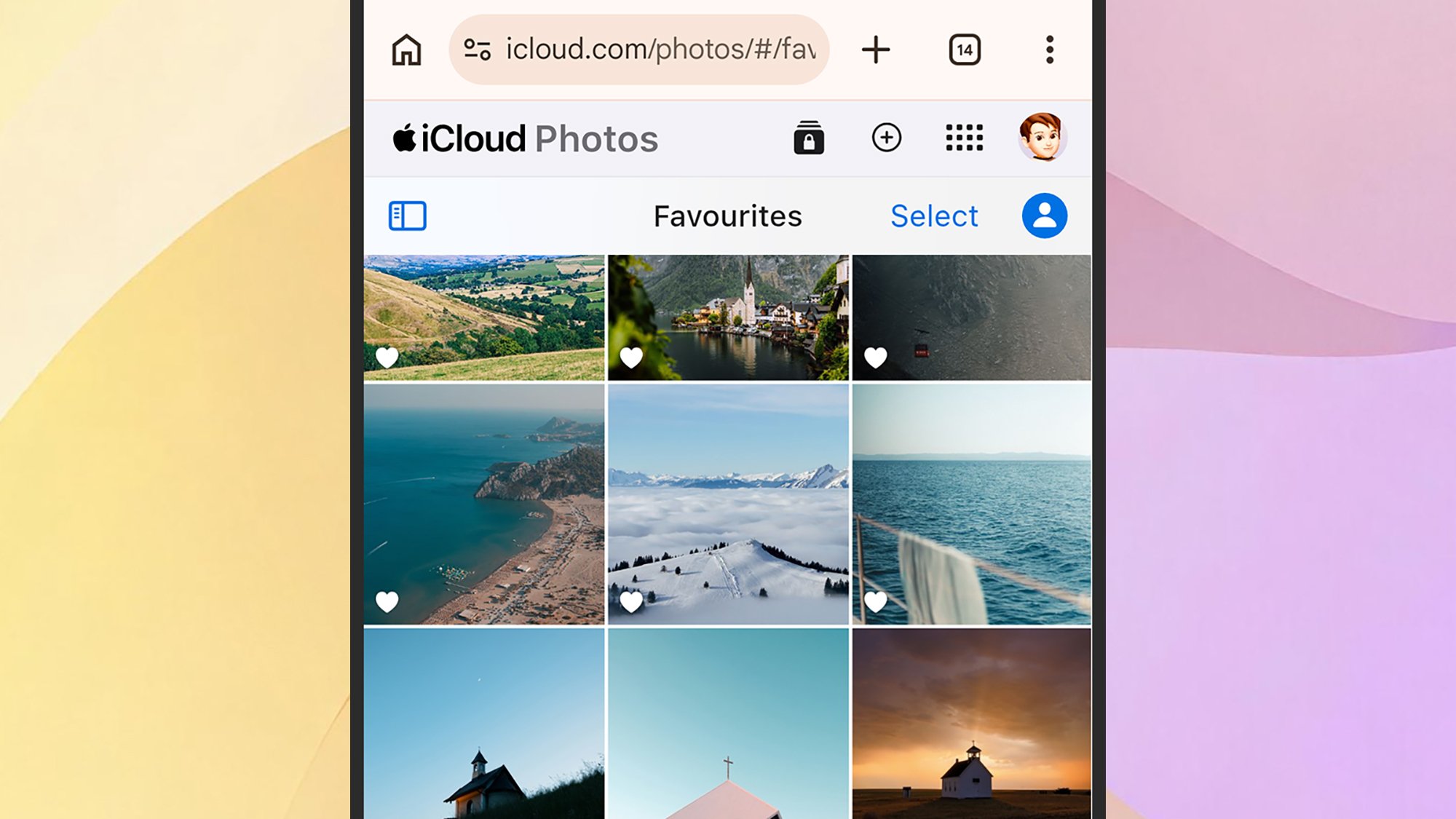
Integrating an Android smartphone with Apple Photos presents the most formidable technical challenge within the current consumer technology landscape. Despite offering robust Android applications for media services like Apple Music and Apple TV, Apple has notably refrained from releasing a dedicated native Apple Photos client for the Android operating system. Consequently, Android users cannot rely on background system-level synchronization to mirror their mobile camera rolls into Apple’s cloud storage infrastructure.
To achieve interoperability, Android users must adopt manual or intermediary workflows. The primary official workaround involves utilizing a mobile web browser to access the iCloud web portal, logging into the account, and manually uploading media files using the browser-based upload utility. While functional for occasional transfers, this method lacks the automation required for a primary backup solution.
Alternatively, many cross-platform users deploy intermediary cloud services—such as Dropbox or Google Photos—to aggregate mobile captures onto a personal computer, where a macOS or Windows system can then ingest and sync the files into the Apple ecosystem. Industry observers note that this architectural divide is intentional, designed to incentivize hardware loyalty by making cross-ecosystem data migration intentionally labor-intensive.
Seamless Windows Integration via Official Microsoft Collaboration
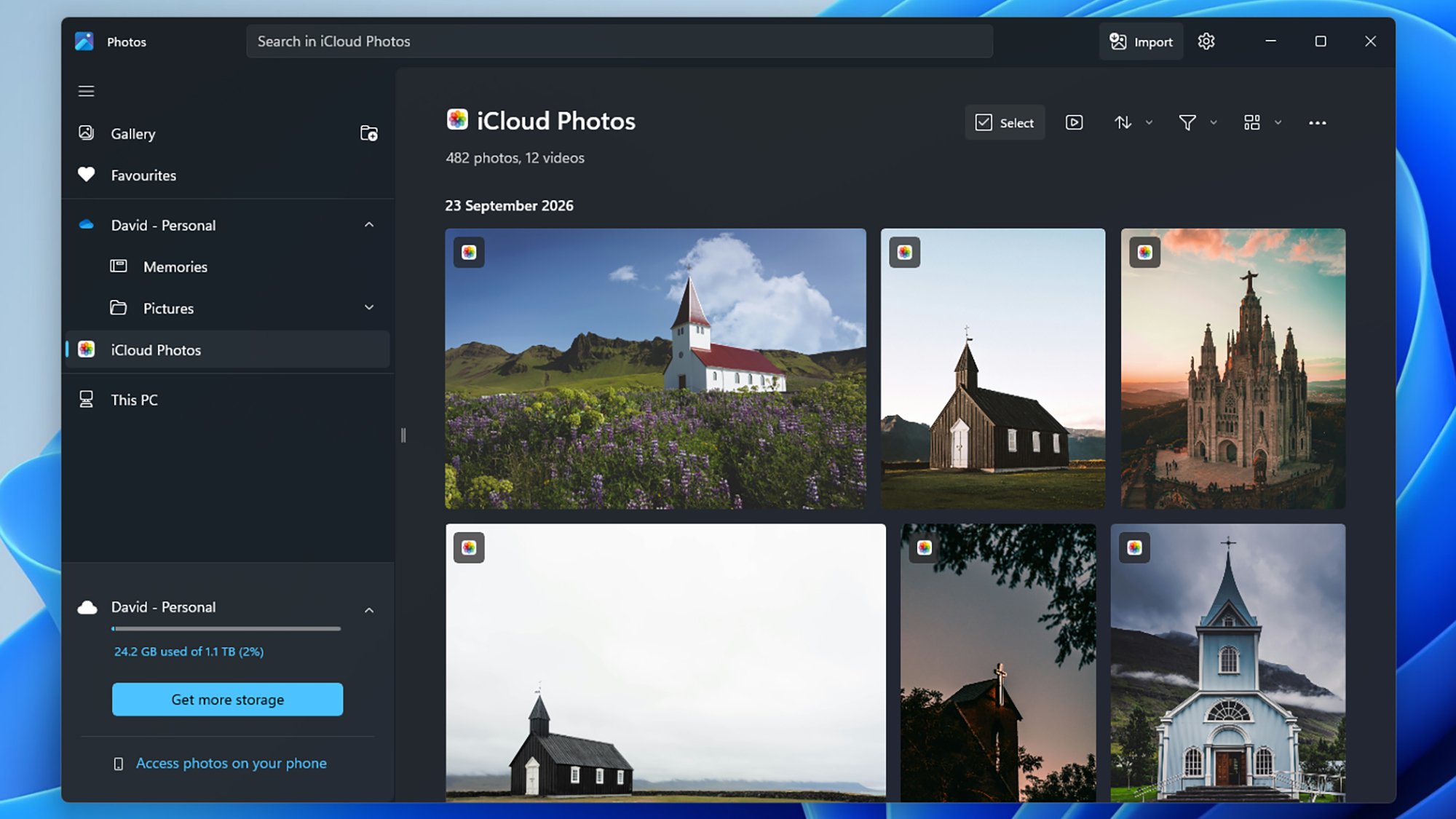
Counterintuitively, given historical corporate rivalries, Apple provides a far more robust integration path for Windows users than it does for mobile Android consumers. Through a formal collaborative effort with Microsoft, Apple develops and maintains the official iCloud for Windows application, available directly through the Microsoft Store.
This desktop application extends far beyond simple photo synchronization, allowing Windows users to unify their Apple ecosystem by simultaneously syncing iCloud Drive files, contacts, calendars, and account passwords directly onto a PC. When configured correctly, the user’s entire iCloud photo and video library populates as a dedicated, native section within the Microsoft Photos application pre-installed on Windows 10 and Windows 11 machines.
The iCloud for Windows configuration menu grants granular control over storage architectures, enabling users to dictate precisely where the physical library files reside on local Windows drives and whether to sync full-resolution assets or space-saving thumbnails. For users who prefer to avoid local file clutter entirely, the Windows environment also fully supports the web-based iCloud portal, ensuring maximum flexibility depending on local hardware constraints and storage capacities.
Industry Implications and the Future of Cloud Interoperability
The varying degrees of accessibility across operating systems highlight a broader, ongoing debate within the technology sector regarding data portability and ecosystem lock-in. Regulatory bodies worldwide are increasingly scrutinizing closed software architectures, arguing that cumbersome migration paths unfairly restrict consumer choice and penalize multi-platform households. While initiatives like the Data Transfer Project have made strides in simplifying data migration between massive cloud providers like Google, Apple, and Meta, proprietary photo libraries remain heavily fortified.
For consumers, navigating these technical limitations requires careful consideration of hardware investments and software routines. Selecting a primary cloud repository that aligns with daily device usage remains the most pragmatic defense against data loss. Whether an individual relies on the deep, automated integration of an iPhone and a Mac, or engineers a hybrid workflow utilizing Windows and web browsers, establishing a reliable, redundant backup strategy is essential in an era where personal history is increasingly captured in digital pixels. As artificial intelligence and machine learning continue to reshape how media libraries are searched and organized, the demand for unified, accessible cloud storage will only accelerate, placing a premium on platforms that successfully balance security, privacy, and cross-device fluidity.