


The modern digital landscape is defined by an unprecedented centralization of personal information within a handful of ecosystem providers, with Google standing as a primary repository for global user data. A single Google account frequently serves as the master key to a user’s professional correspondence in Gmail, sensitive location histories in Google Maps, intimate family memories in Google Photos, and high-stakes financial documentation in Google Drive. As cyber threats evolve from rudimentary phishing attempts to sophisticated, AI-driven social engineering and credential stuffing attacks, the necessity of rigorous account hygiene has moved from a recommendation to a fundamental requirement for digital safety. To address this, Google has refined its Security Checkup tool, a centralized diagnostic dashboard designed to provide users with a streamlined, non-technical interface to audit their security posture and mitigate vulnerabilities before they are exploited by malicious actors.
The Landscape of Contemporary Cybersecurity Threats
The deployment of tools like the Security Checkup comes at a time when account takeovers (ATO) are reaching record highs. According to the FBI’s Internet Crime Complaint Center (IC3), business email compromise and personal account hijacking result in billions of dollars in annual losses. The vulnerability often stems not from a direct breach of Google’s infrastructure, but from "credential stuffing," where hackers use passwords leaked from smaller, less secure websites to gain access to a user’s primary Google account.
Industry data suggests that while over 90% of users understand the risks of password reuse, a significant majority continue the practice for the sake of convenience. Google’s security suite is specifically engineered to counteract this human element of risk. By providing a guided audit, the company aims to reduce the friction associated with complex security settings, ensuring that even non-technical users can maintain a robust defense against unauthorized access.
A Chronology of Google’s Security Evolution
The current iteration of the Security Checkup tool is the result of over two decades of iterative development in account protection.

- 2004–2010: During the early years of Gmail, security was primarily focused on spam filtration and basic password encryption.
- 2011: Google introduced Two-Step Verification (2SV), a landmark move that significantly raised the bar for account security by requiring a physical device or SMS code in addition to a password.
- 2014–2015: The "Security Checkup" was officially launched as a simplified way for users to review recovery information and connected devices.
- 2017: Google introduced the Advanced Protection Program, specifically designed for high-risk users such as journalists, activists, and political campaign teams.
- 2021: The company began auto-enrolling millions of users in two-factor authentication, resulting in a 50% drop in account compromises among that group.
- 2023–Present: The transition toward "Passkeys" began in earnest, moving the ecosystem toward a passwordless future utilizing biometric authentication and local device encryption.
Systematic Audit: Dissecting the Security Checkup Tool
The Security Checkup tool functions as a proactive diagnostic suite, categorized into several critical domains of risk management. When a user initiates a checkup, Google’s algorithms scan for "yellow flags" (potential risks) and "red flags" (urgent threats), presenting them in a prioritized list.
Device Management and Session Control
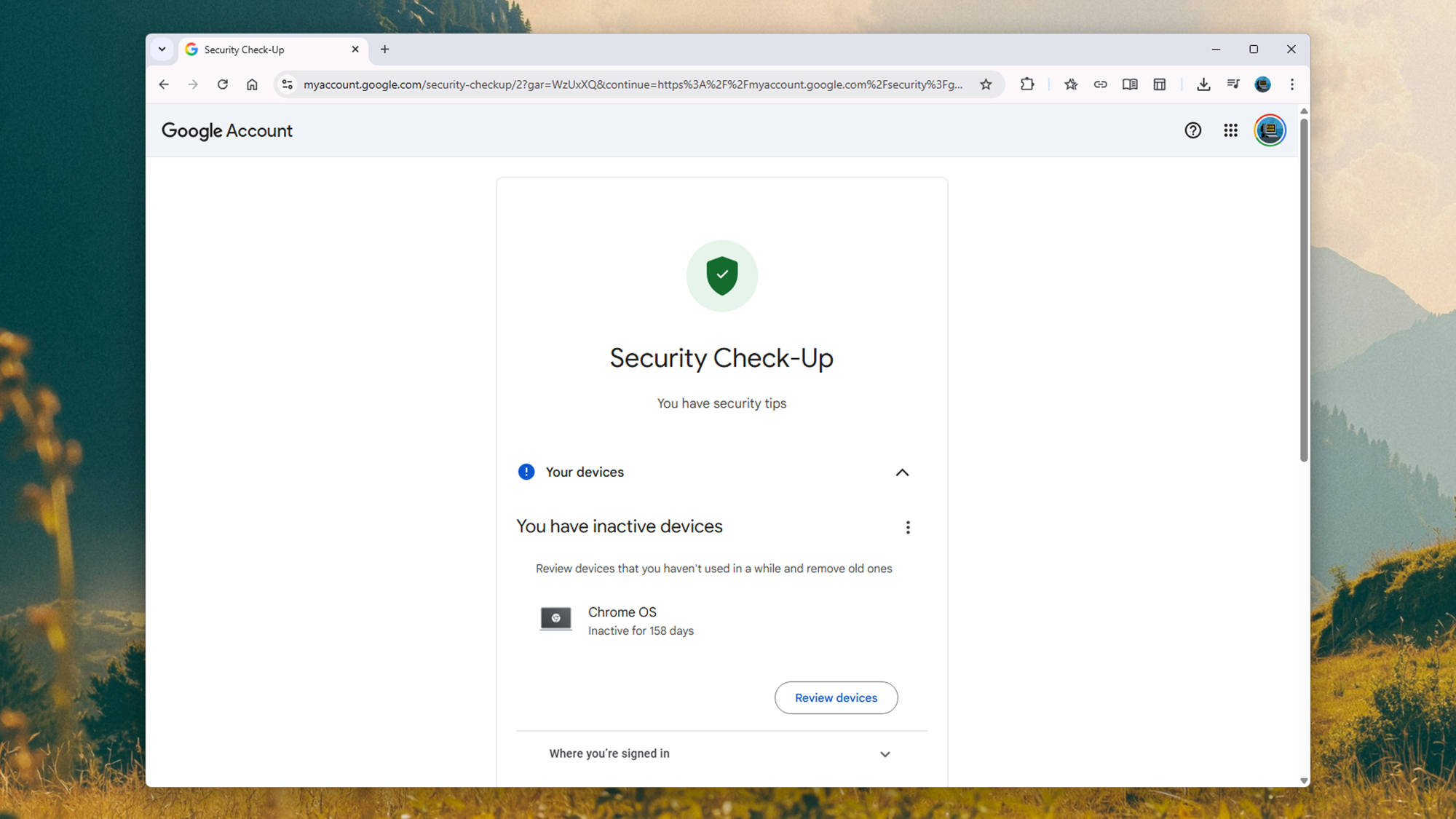
The "Your devices" section serves as the first line of defense. It provides a comprehensive inventory of every smartphone, tablet, and computer currently authorized to access the account. This list includes metadata such as the last known IP address, geographic location, and the specific browser or operating system used.
For users, the primary utility here is the ability to perform a "remote logout." In the event a device is lost or stolen—or if a user recognizes a login from a foreign country—they can instantly revoke that device’s access. Journalistic analysis suggests that this feature is one of the most effective tools for stopping an active intrusion in its tracks. Security experts recommend reviewing this list at least once a quarter to ensure that old devices, such as traded-in phones or public library computers, are no longer linked to the account.
Sign-in and Recovery Infrastructure
The "Sign-in and recovery" module focuses on the "fail-safe" mechanisms of an account. Google requires verified communication channels, such as a secondary email address and a mobile phone number, to verify a user’s identity if they are locked out. The Security Checkup prompts users to confirm these details are current. This is a critical step; many users lose access to their primary accounts because their recovery email belongs to a former employer or a defunct service provider.
The Transition to Passkeys
A significant addition to the security suite is the management of Passkeys. Unlike traditional passwords, which are stored on servers and can be stolen in data breaches, Passkeys are cryptographic entities stored locally on a user’s device. They rely on local biometrics (FaceID, fingerprints) or hardware security keys. By transitioning users to Passkeys, Google is effectively neutralizing the threat of phishing, as there is no "password" for a hacker to trick a user into revealing.
Password Integrity and Credential Monitoring
For users who still rely on traditional passwords, Google integrates a Password Manager audit within the checkup. This tool compares a user’s saved credentials against known databases of leaked passwords from across the internet. If a match is found, the tool issues an urgent alert to change the compromised password.
Furthermore, the checkup identifies "weak" passwords—those that are too short or lack complexity—and "reused" passwords. The implication here is clear: a breach at a minor e-commerce site should not grant a hacker the keys to a user’s primary Google identity. By centralizing this data, Google acts as a gatekeeper for the user’s broader digital life.
The Risks of the Third-Party Ecosystem
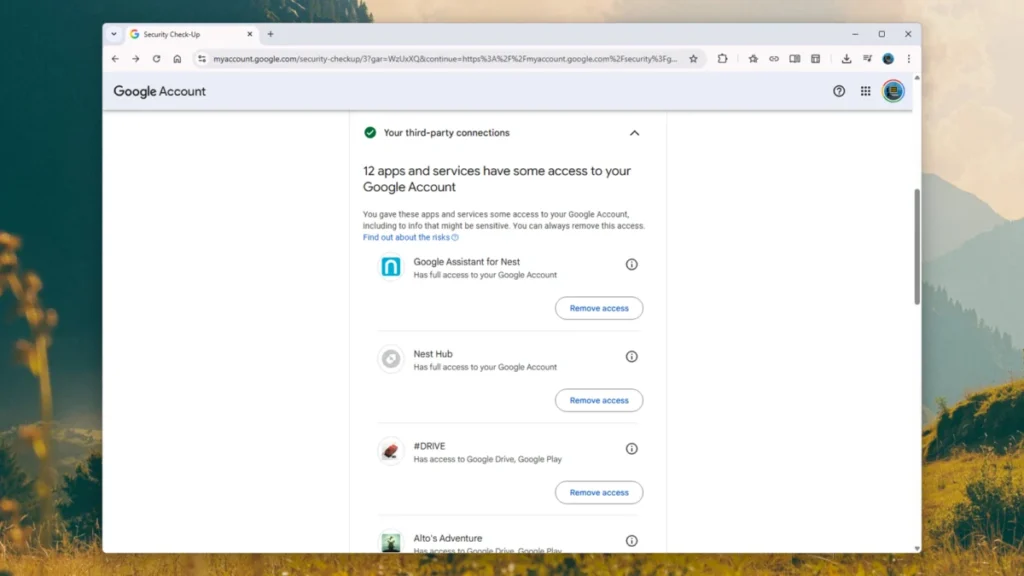
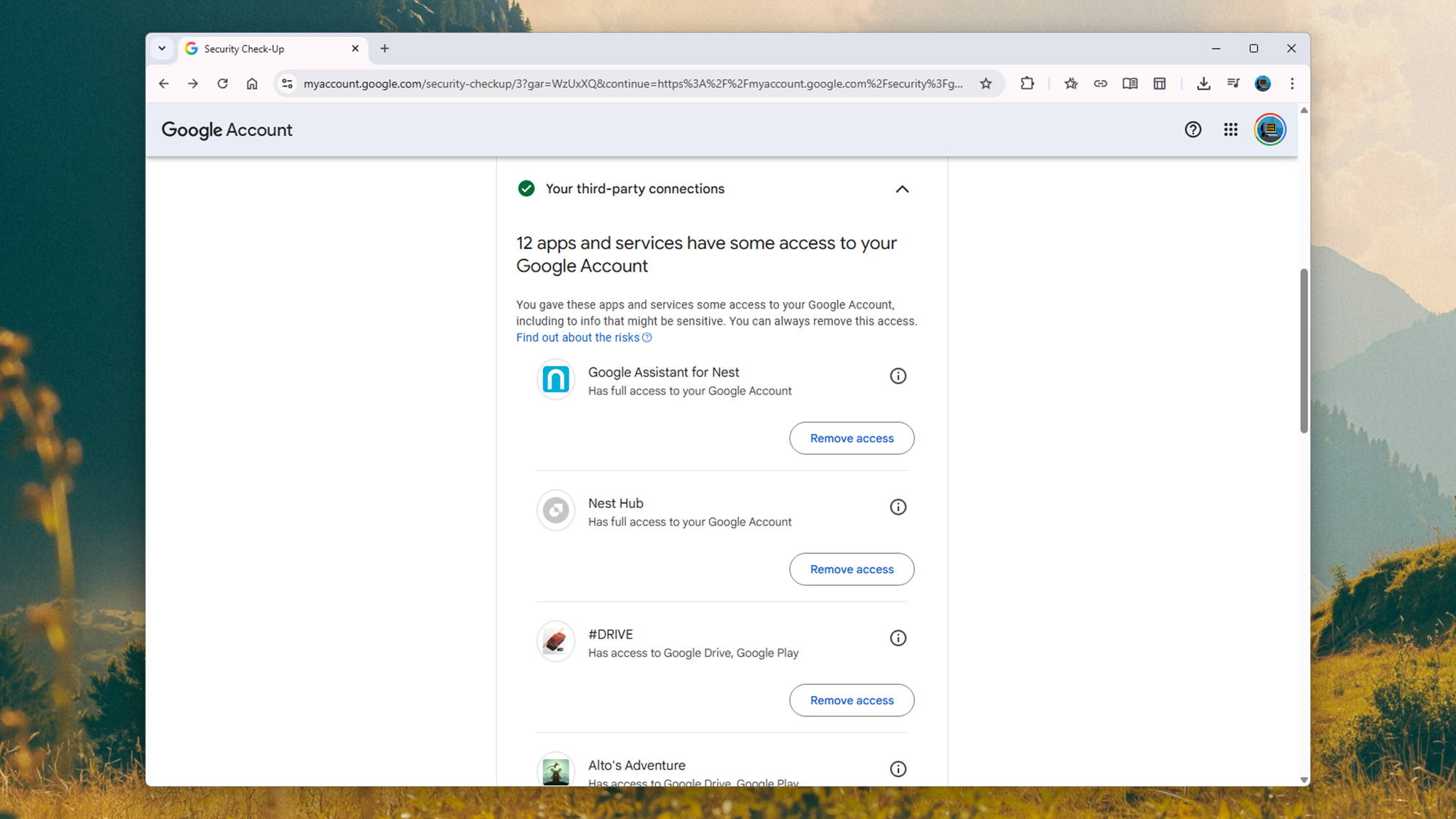
One of the most overlooked vulnerabilities in digital security is the "OAuth" system, which allows users to "Sign in with Google" on third-party apps and websites. While convenient, this creates a web of permissions where external developers may have access to a user’s basic profile, contacts, or even Google Drive files.
The "Your third-party connections" section of the Security Checkup lists every external service with account access. Security analysts point out that "permission creep" is a major concern; an app that a user downloaded five years ago may still have the authority to read their data. The checkup allows for a "zero-trust" approach, where users can instantly sever ties with any application that no longer serves a purpose.
Proactive Defense: Enhanced Safe Browsing
For users of the Google Chrome ecosystem, the "Safe Browsing" section offers an optional but highly recommended layer of protection. When enabled, this feature shares real-time telemetry data with Google to identify and block malicious URLs and dangerous downloads. While some privacy advocates express concern over the amount of browsing data shared with Google under this setting, the security benefits are measurable. Google reports that Enhanced Safe Browsing users see a significant reduction in successful phishing attacks, as the system can identify new "zero-day" malicious sites faster than traditional static blacklists.
Broader Implications and Official Responses
In official statements regarding account security, Google executives have emphasized a "Safety by Design" philosophy. Mark Risher, Google’s Vice President of Product Management for Identity and User Security, has frequently noted that the company’s goal is to make security "automatic" for the user. The Security Checkup is the manifestation of this goal—an attempt to bridge the gap between complex backend security protocols and the everyday user experience.
The implications of these tools extend beyond individual safety. As Google secures its billion-plus user base, it effectively raises the "cost of entry" for cybercriminals. When a major platform implements mandatory 2FA or promotes Passkeys, it disrupts the economic model of large-scale hacking operations, which rely on easy, automated access to poorly protected accounts.
Conclusion: The Necessity of Regular Audits
The Google Security Checkup is not a "set it and forget it" solution, but rather a dynamic tool that reflects the ever-shifting nature of digital threats. As hackers develop new methods to bypass traditional defenses, Google updates the checkup’s parameters to include checks for new types of malware, unauthorized Gmail forwarding rules, and suspicious account recovery attempts.
For the modern consumer, the Google account is the cornerstone of their digital identity. Utilizing the Security Checkup tool represents a proactive commitment to data sovereignty. By spending five minutes reviewing devices, revoking unnecessary third-party access, and confirming recovery information, users can significantly harden their digital perimeter against the rising tide of global cybercrime. In an era where data is the most valuable commodity, the ability to effectively "lock the door" on one’s digital life is an essential skill for the 21st century.