



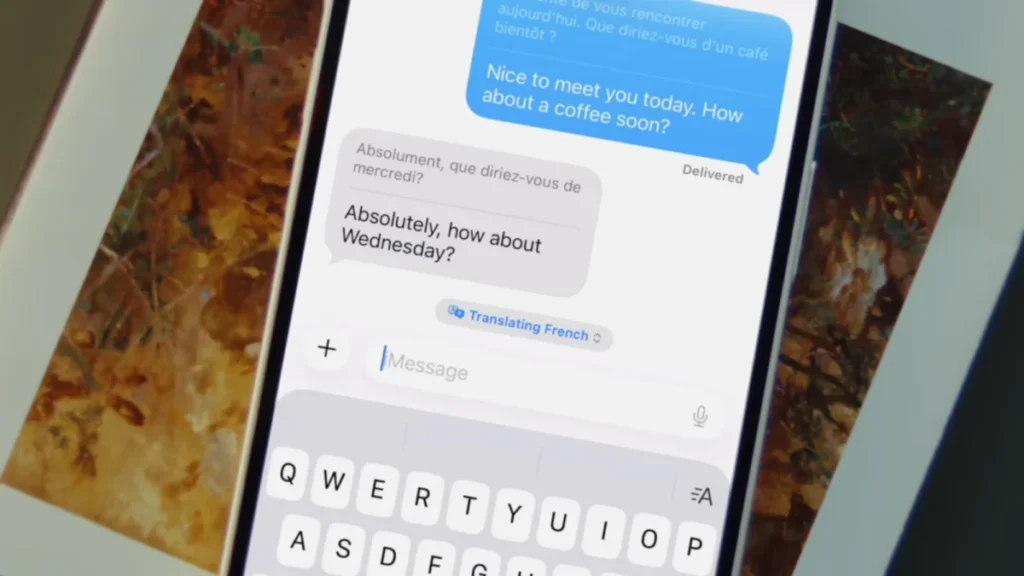
The integration of sophisticated artificial intelligence into mobile operating systems has reached a significant milestone with the introduction of real-time, system-wide translation capabilities within the Apple ecosystem. While third-party applications have long offered translation services, the recent deployment of Apple Intelligence has allowed for a more seamless, native experience, specifically within the Messages app on iOS. This development represents a shift in how users engage with foreign languages, moving from static look-up tools to dynamic, conversational aids that operate in real-time. By leveraging on-device processing and advanced machine learning models, Apple has created a framework where language barriers are minimized during routine digital interactions, providing users with a powerful tool for both practical communication and pedagogical reinforcement.
The Technical Foundation: Apple Intelligence and Hardware Requirements
The cornerstone of these new translation features is Apple Intelligence, the company’s proprietary generative AI system. Unlike previous iterations of translation software that often relied on cloud-based servers to process data, Apple Intelligence emphasizes on-device processing. This approach is designed to enhance user privacy and reduce latency, but it necessitates significant hardware capabilities.
To utilize real-time translation in Messages, users must possess hardware equipped with the necessary computational power to run large language models (LLMs) locally. Currently, this includes the iPhone 15 Pro and iPhone 15 Pro Max, as well as the entire iPhone 16 lineup and subsequent models. The requirement for these specific devices stems from the need for the A17 Pro chip or the A18 series, which feature high-performance Neural Engines and a minimum of 8GB of RAM. Beyond the iPhone, these features are also accessible on iPads and Macs powered by M-series chips.
Before accessing the translation features, users must ensure that Apple Intelligence is active on their device. This is managed through the "Apple Intelligence & Siri" menu within the iOS Settings app. Once enabled, the system integrates translation capabilities across various native applications, with the Messages app receiving some of the most impactful updates for daily use.
Step-by-Step Implementation in the Messages App
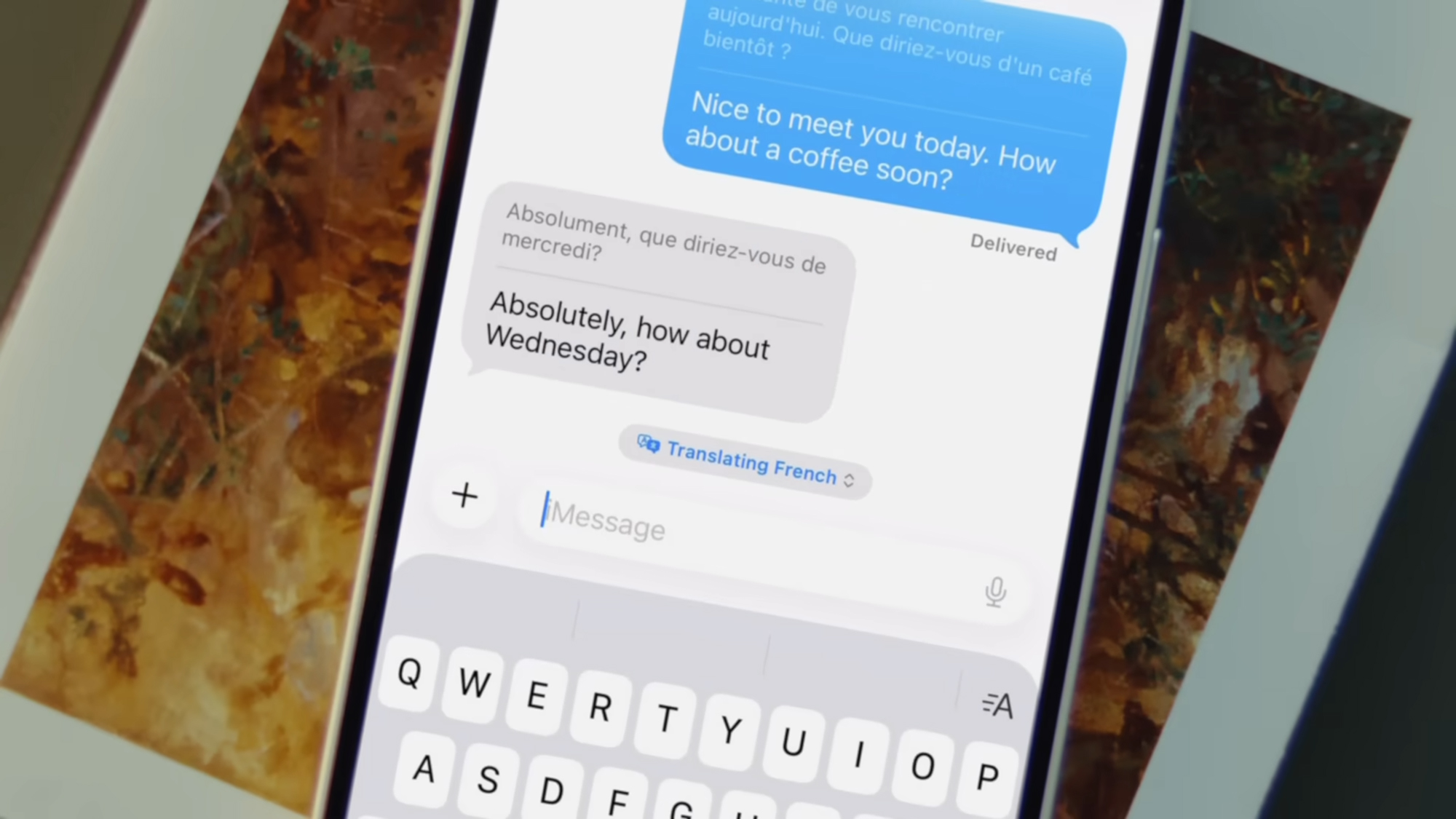
The process of enabling real-time translation within a text conversation is designed to be intuitive, requiring only a few adjustments to the individual chat settings. This feature allows for a bilingual transcript to appear in the message thread, showing both the original text and the translated version simultaneously.
- Initiating the Feature: Open the Messages app and select a specific conversation thread. Tap the contact’s name or icon at the top of the screen to access the conversation settings.
- Activating Automatic Translation: Locate the "Automatically Translate" toggle switch and enable it.
- Language Selection: Upon activation, the system prompts the user to select the target language. As of the current software cycle, Apple supports approximately 20 major world languages, including Spanish, French, German, Mandarin Chinese, Japanese, and Italian.
- Active Use: Once configured, every outgoing message sent in the user’s primary language will be accompanied by a translation in the selected foreign language. Conversely, incoming messages in that foreign language will be displayed with an English translation immediately below the original text.
- Dynamic Control: A small drop-down menu appears above the text input field during active sessions, allowing users to quickly swap languages or disable the feature without returning to the main settings menu.
This functionality is not limited to iMessage-to-iMessage communication. Because the translation occurs on the user’s device, it also applies to SMS and RCS conversations with Android users. This cross-platform utility ensures that the translation tool remains effective regardless of the recipient’s hardware.
A Chronology of Apple’s Translation Evolution
The arrival of real-time translation in Messages is the culmination of a multi-year strategy to integrate linguistic tools into the iOS core. Understanding the timeline of these developments provides context for the current state of Apple Intelligence.
- 2020 (iOS 14): Apple introduced the standalone Translate app, providing a native alternative to Google Translate. It focused on simple text and voice translation with an emphasis on "Conversation Mode" for side-by-side bilingual speech.
- 2021 (iOS 15): The introduction of "Live Text" allowed users to translate text found within photos or through the Camera viewfinder. System-wide translation was also introduced, allowing users to highlight text in almost any app and select "Translate" from the context menu.
- 2022-2023 (iOS 16 & 17): Apple expanded the number of supported languages and improved offline translation capabilities, allowing users to download language packs for use without cellular or Wi-Fi connectivity.
- 2024 (iOS 18 & Apple Intelligence): The transition to generative AI allowed for the integration of translation directly into the flow of communication. This marked the move from "manual" translation (highlighting and clicking) to "automatic" translation (real-time display in Messages and Phone calls).
Expanding Translation to Audio and Visual Interfaces
While the Messages app integration is a primary highlight, Apple Intelligence has also updated how translation works across other sensory interfaces, specifically audio and video.
Live Translation in Phone Calls and FaceTime
One of the most technically demanding features introduced is Live Translation for voice calls. During a standard phone call or a FaceTime session, users can tap the "More" or "Three Dots" menu to select "Live Translation" or "Live Captions." The device then listens to the incoming audio, processes the speech, and displays a text translation on the screen in real-time. This feature is particularly useful for business professionals conducting international calls or travelers communicating with local services.
The "Live" Audio Feature for AirPods
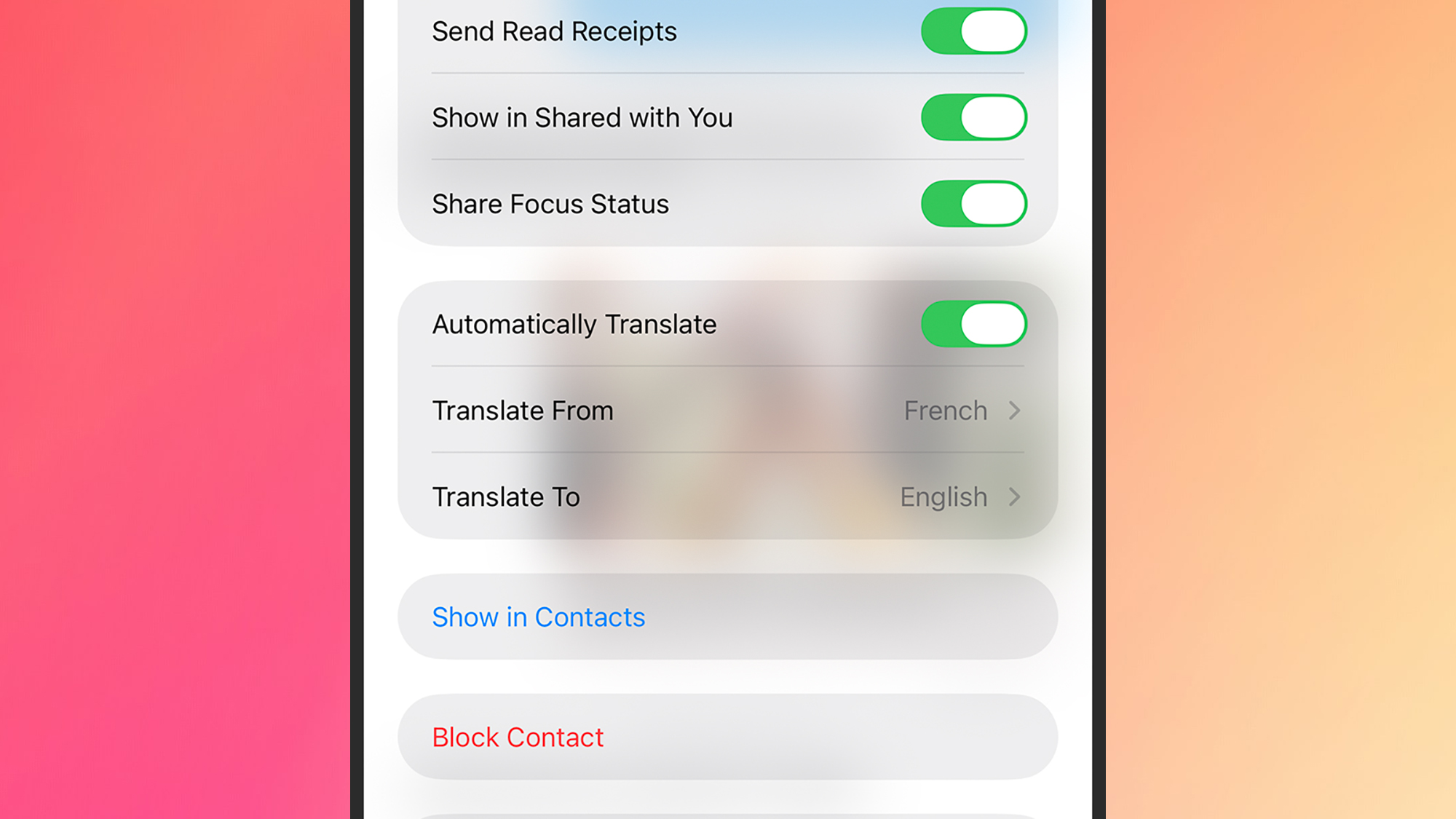
For users equipped with AirPods Pro (2nd generation or later) or AirPods 4 with Active Noise Cancellation, the Translate app now includes a "Live" button. When activated, the iPhone acts as a directional microphone, capturing foreign speech and relaying the translation directly into the user’s ears. This creates a "hear-through" translation experience that mimics the functionality of professional interpretation devices.
Enhanced Camera and Visual Translation
The Translate app’s camera interface has been refined to handle complex layouts better. By pointing the camera at a sign, menu, or document, the software overlays the translated text onto the original image using augmented reality (AR) principles. The latest updates have improved the speed of this process and the accuracy of text recognition in low-light environments.
Data and Market Context: The Demand for Real-Time Linguistics
The push for integrated translation tools is backed by significant market trends. According to data from market research firms, the global machine translation market is expected to grow at a compound annual growth rate (CAGR) of over 7% through 2030. This growth is driven by increasing globalization and the rise of remote, international workforces.
Furthermore, language learning has become one of the most popular categories in mobile software. By embedding translation directly into the Messages app, Apple is tapping into the "passive learning" market. Educational psychologists suggest that consistent exposure to foreign vocabulary within familiar contexts—such as daily texting—can significantly improve retention and fluency compared to isolated study sessions.
Privacy and Security: The On-Device Advantage
A critical differentiator for Apple in the AI space is its commitment to privacy. Traditional translation services often require data to be sent to a central server, where it is processed and sometimes stored to improve future models. Apple’s approach with Apple Intelligence ensures that the vast majority of translation tasks are performed locally on the device’s Secure Enclave and Neural Engine.
Industry analysts have noted that this "Private Cloud Compute" model is a direct response to growing consumer concerns regarding data sovereignty. By keeping personal conversations and sensitive business calls on-device, Apple mitigates the risk of data breaches or unauthorized data harvesting. This is a significant factor for corporate and government sectors that may otherwise prohibit the use of cloud-based AI tools for sensitive communications.
Implications for Global Communication
The broader implications of real-time, native translation are profound. For the travel industry, it reduces the friction of navigating foreign environments. For the global economy, it allows small business owners to communicate with international suppliers without the need for an intermediary.
However, experts also point to the "accuracy gap" that still exists in machine translation. While AI can handle conversational syntax with high proficiency, it can still struggle with cultural nuances, idioms, and highly technical jargon. Apple’s implementation addresses this by showing both the original and the translated text, allowing users to verify the intent if they have a foundational understanding of the language.
As Apple Intelligence continues to evolve, the number of supported languages is expected to grow, and the "Automatic Translate" feature is likely to expand into third-party messaging apps through new developer APIs. For now, the integration within iOS Messages stands as a benchmark for how artificial intelligence can be practically applied to enhance human connection across linguistic divides. By turning the most common tool on a smartphone—the text message—into a bilingual interface, Apple has effectively turned every iPhone into a sophisticated translation device, accessible to anyone with the right hardware and a desire to communicate.