



The modern smartphone has evolved from a simple communication device into a high-powered workstation, professional-grade camera, and personal entertainment hub. However, this increased capability comes at a significant digital cost: the rapid consumption of internal storage. When the dreaded "storage full" notification appears, it represents more than just a minor inconvenience; it acts as a functional bottleneck that prevents the installation of critical security updates, halts the capture of high-resolution media, and degrades overall system performance. As mobile applications grow in complexity and media formats transition to high-bitrate 4K and ProRAW, the necessity for proactive digital housekeeping has never been more vital. Both the Android and iOS ecosystems have introduced sophisticated, automated tools designed to mitigate these pressures, yet effective management still requires a nuanced understanding of how local and cloud storage interact.
The Architectural Shift in Mobile Storage
To understand the current storage crisis, one must look at the trajectory of smartphone hardware over the last decade. Historically, many mobile devices, particularly in the Android ecosystem, featured expandable storage via microSD cards. This allowed users to cheaply increase their capacity by hundreds of gigabytes. However, the industry has largely transitioned away from this model. Flagship devices from Apple, Samsung, and Google now almost exclusively rely on fixed internal storage. This shift was driven by several factors, including the need for faster data read/write speeds that external cards could not match, the desire for thinner device profiles, and the push toward high-margin cloud subscription services.
As a result, users are now confined to the capacity they purchase at the time of sale. With entry-level models often starting at 128GB and professional apps like Genshin Impact or video editing suites occupying upwards of 20GB to 30GB alone, the margin for error is slim. Data suggests that the average smartphone user captures over 20 photos per day, and with 4K video at 60 frames per second consuming approximately 400MB per minute of footage, a device can reach its limit in a matter of months without intervention.
Android Ecosystem: Leveraging AI and Google Files
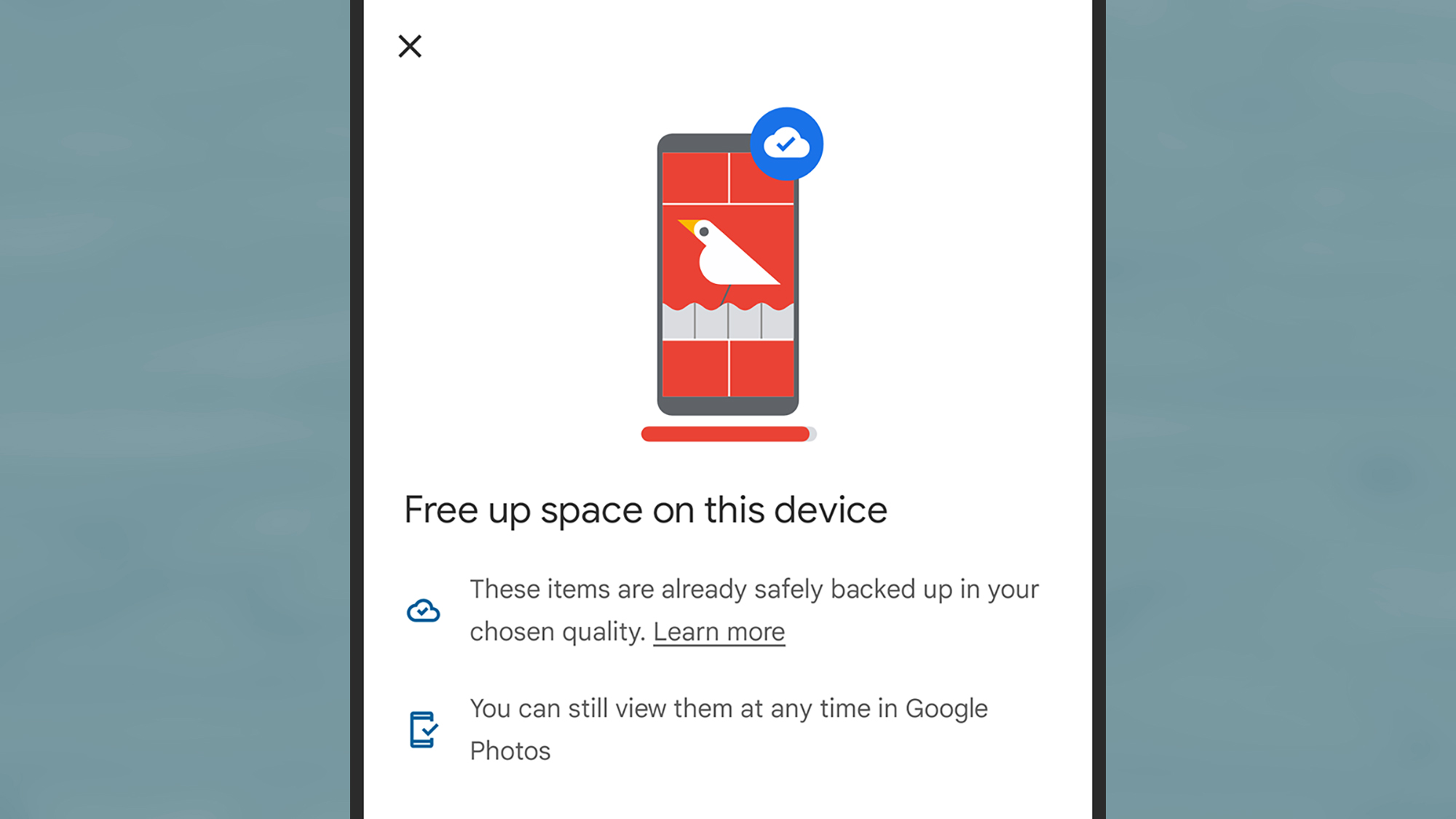
The Android operating system, developed by Google, has integrated storage management directly into its core through the "Files by Google" application. This utility is no longer a simple file explorer; it is a sophisticated management engine that uses machine learning to identify "junk" files that the user likely no longer needs.
The Cleanup Engine
Within the Files app, the "Clean" interface serves as the primary dashboard for storage recovery. It categorizes data into actionable segments: junk files (temporary app data), duplicates, large files, and "blurry" photos. One of the more innovative features is the detection of "memes." By analyzing image patterns and metadata, the system can identify standard meme templates that often clutter messaging folders like WhatsApp or Telegram, allowing users to bulk-delete them while preserving personal photography.
App Management and Archiving
Android also provides granular control over application footprints. By navigating to the system settings and selecting "Apps," users can view a list of software sorted by size. Recent updates to the Android platform have introduced "App Archiving." Similar to its iOS counterpart, this feature allows the system to remove the bulk of an app’s code while keeping the user’s personal data and icon on the home screen. When the app is needed again, the device simply downloads the necessary components from the Play Store, restoring the app to its previous state.
Media and Cloud Integration
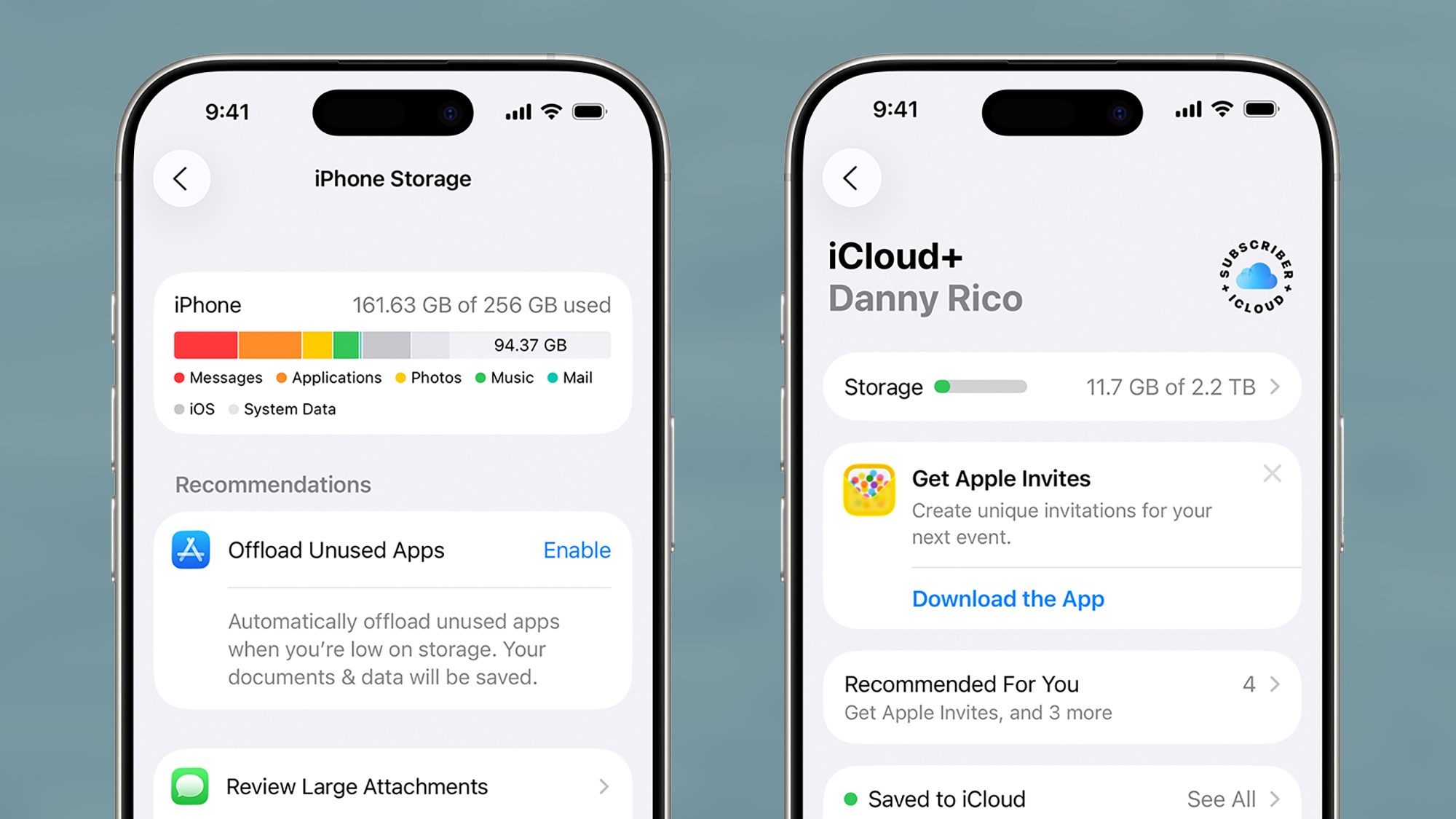
Google Photos remains the cornerstone of Android storage strategy. The "Free up space" feature within Google Photos is a powerful tool that cross-references local media with cloud backups. Once the software confirms that a photo or video is safely stored on Google’s servers, it offers to delete the local copy. This can instantaneously reclaim gigabytes of space. However, industry analysts warn that relying solely on a single cloud provider is a risk; users are encouraged to maintain a "3-2-1" backup strategy—three copies of data, on two different media types, with one copy off-site.
iOS Ecosystem: Optimization and System Intelligence
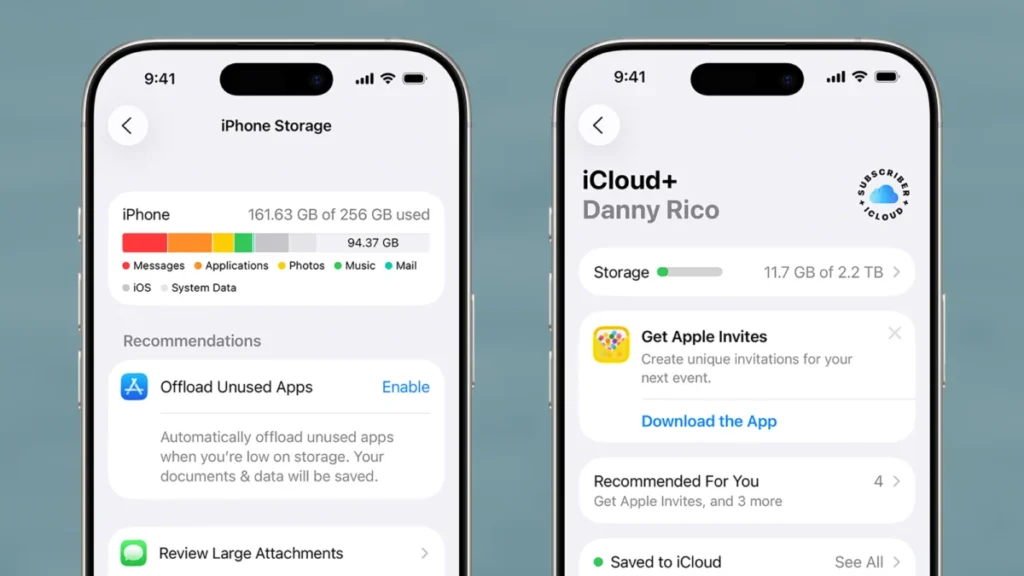
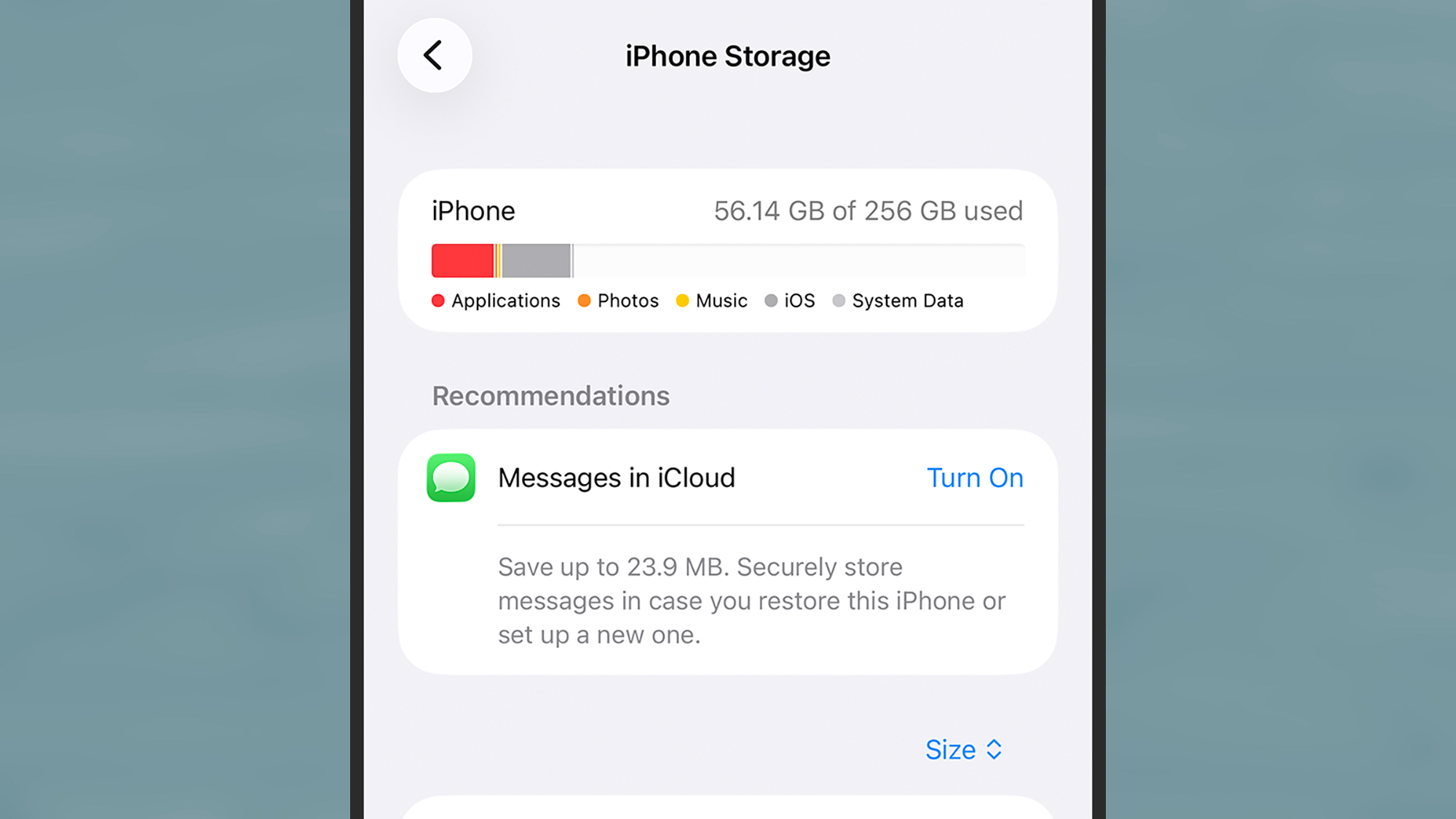
Apple’s approach to storage management on the iPhone is characterized by seamless background automation and deep integration between hardware and the iCloud ecosystem. The central hub for this is found under "Settings > General > iPhone Storage."
Recommendations and Offloading
The iOS storage dashboard provides a color-coded breakdown of what is occupying space, including Apps, Media, Mail, and the often-misunderstood "System Data" (formerly "Other"). Apple’s "Recommendations" section offers a one-tap solution for common issues, such as auto-deleting old message conversations or emptying the "Recently Deleted" album in Photos.
The standout feature of iOS is "Offload Unused Apps." When enabled, the iPhone intelligently monitors app usage patterns. If a large application has not been opened for several weeks and storage is running low, the OS will remove the app binary but preserve all documents and data associated with it. This is particularly useful for large mobile games that are played sporadically.
High-Efficiency Formats and iCloud Synergy
Apple has been a pioneer in implementing High-Efficiency Image File (HEIF) and High-Efficiency Video Coding (HEVC) formats. These standards allow for high-quality media at nearly half the file size of traditional JPEGs and H.264 videos. Furthermore, the "Optimize iPhone Storage" setting for Photos is a critical tool. When active, the iPhone keeps full-resolution originals in iCloud while maintaining smaller, device-sized versions locally. If a user wants to view or edit a photo in high detail, the device downloads the full version on demand.
Data Analysis: The Growing Footprint of Digital Life
The necessity for these tools is underscored by the ballooning size of digital content. According to industry data, the average size of a mobile application increased by over 40% between 2020 and 2024. This "code bloat" is attributed to the inclusion of high-resolution assets for OLED displays, extensive tracking and analytics libraries, and the shift toward cross-platform development frameworks that are less storage-efficient than native code.
| Content Type | Average Size (2024 Estimates) |
|---|---|
| Standard JPEG Photo | 3 MB – 5 MB |
| ProRAW Photo (iPhone) | 25 MB – 75 MB |
| 1080p Video (1 min) | 60 MB – 100 MB |
| 4K Video (1 min, 60fps) | 400 MB – 440 MB |
| Top-Tier Mobile Game | 5 GB – 30 GB |
| Average Social Media Cache | 500 MB – 2 GB |
This data illustrates why 128GB, once considered "pro-level" storage, is now frequently viewed as the bare minimum for average consumers.
The Role of Messaging and Offline Caches
A significant portion of storage "leakage" occurs in areas users often overlook: messaging apps and streaming services. Apps like WhatsApp, iMessage, and Telegram default to saving every incoming photo and video to the device’s local gallery or internal database. Over years of use, a single active group chat can accumulate several gigabytes of media.
Similarly, the "offline" features of Spotify, Netflix, and YouTube are major contributors to storage depletion. While these features are excellent for commuters or travelers, users often forget to "un-download" content after viewing. Journalistic investigations into consumer tech habits suggest that up to 15% of used storage on the average smartphone is occupied by forgotten offline media that the user no longer intends to watch or listen to.
Industry Perspectives and the Subscription Economy
The shift toward aggressive storage management tools is not merely a technical necessity; it is also an economic one. As hardware sales plateau, tech giants like Apple and Google have pivoted toward "Services." By offering limited physical storage on devices, these companies create a natural funnel into their respective cloud subscription models (iCloud+ and Google One).
"The move away from expandable storage was the first step in creating a ‘Storage-as-a-Service’ economy," says tech analyst Marcus Thorne. "When a user hits that storage limit, they are presented with two choices: spend hours manually deleting precious memories or pay $2.99 a month for a cloud tier. Most consumers choose the latter, creating a recurring revenue stream for the manufacturer that far exceeds the one-time profit from a larger internal hard drive."
Chronology of Storage Evolution
- 2010-2015: The era of 8GB and 16GB baselines. MicroSD cards were standard on Android; Apple faced criticism for the "16GB iPhone" which could barely hold its own OS updates.
- 2016-2018: Introduction of HEIF/HEVC formats. Manufacturers began phasing out the 16GB and 32GB tiers in favor of 64GB. The first "Files" apps appeared on both platforms.
- 2019-2021: 128GB becomes the standard baseline for flagships. High-resolution 4K video becomes a default setting for many users, accelerating storage consumption.
- 2022-Present: The rise of "System Data" and "App Archiving." AI-driven cleanup tools become essential as apps like TikTok and Instagram generate massive caches of short-form video data.
Strategic Implications for the Future
As we look toward the future, the integration of Artificial Intelligence (AI) into mobile operating systems is expected to further refine storage management. Future versions of Android and iOS may proactively move files to the cloud before the storage even reaches a critical level, based on predicted user behavior. Furthermore, the transition to USB-C on the iPhone 15 and 16 series has opened a new frontier for "Pro" users: the ability to record high-bitrate video directly to external SSDs, bypassing internal storage entirely.
For the average consumer, the path forward involves a combination of these automated system tools and manual vigilance. Regularly clearing "Recently Deleted" folders, auditing offline streaming downloads, and utilizing high-efficiency media formats remain the most effective ways to ensure a device remains functional. Ultimately, managing smartphone storage is no longer a niche technical task; it is a fundamental digital literacy skill required to navigate the modern, data-heavy world. By mastering these tools, users can move past the frustration of "storage full" alerts and reclaim the full potential of their mobile technology.